YouTube Trust Score Checker
for creators who want a clearer diagnostic.
Satura TrustScore scans 30+ channel and video signals from authorized YouTube data and optional Studio context, then turns them into one prioritized action plan for what to inspect first.
TrustScore is Satura's diagnostic model. YouTube does not publish an official creator trust score or guarantee distribution from a score.
Channel Trustscore
Room for Growth
Example TrustScore for a channel with 45K subscribers. Your score is calculated from your channel's real data via the YouTube API.
30+
Signals reviewed
0-100
Diagnostic model
5
Input categories
4
Confidence levels
YouTube trust score checker
Check your YouTube channel trust score with real channel data
YouTube does not publish one official public trust score. Satura TrustScore is a channel health checker that turns authorized channel and Analytics data into one practical score, then shows which viewer response, engagement, publishing, setup, or data-confidence area needs attention first.
Connect your channel
Use the YouTube OAuth flow so TrustScore can read authorized channel and Analytics data. Optional Studio-only context is entered separately.
Scan 30+ trust signals
TrustScore reviews recent videos, watch behavior, CTR or engaged views, engagement, upload history, channel setup, and data coverage.
Prioritize the fixes
Instead of a vague grade, you get the weakest measured category to investigate first with its source metric.
YouTube trust score ranges
What is a good YouTube TrustScore?
In Satura's model, 75 or higher means the measured categories are broadly healthy, 50 to 74 means the result is mixed, and below 50 means the weakest inputs need attention. These are Satura product ranges, not thresholds published by YouTube, so read them with the data-confidence label and source metrics.
How to check trust score of a YouTube channel
- 1Connect the YouTube channel through OAuth so the checker can read real channel analytics.
- 2Add optional YouTube Studio context only when the API cannot supply that input.
- 3Review the 0-100 TrustScore, category breakdown, and data-confidence label together.
- 4Start with the weakest measured category rather than changing every part of the channel at once.
- 5Use a paid, credit-based recalculation only after the channel has enough new views or uploads to make the comparison useful.
How to increase YouTube trust score
Increase your YouTube TrustScore by fixing the signals YouTube can measure.
A higher TrustScore does not come from one trick. It comes from improving the weakest input in Satura's model and confirming that change in YouTube Studio: viewer response, watch behavior, engagement, publishing consistency, channel setup, or data coverage.
Fix the early-viewer signals
Start with the available appeal and engagement signals: Shorts hook data, long-form CTR, average view duration, and average view percentage. Compare like with like by format.
Prove the channel is consistent
Complete the channel setup, publish in a clear topic lane, and use a cadence you can sustain. Then evaluate results against the channel's own history.
Improve one weak category at a time
Use TrustScore to separate viewer response, engagement, publishing consistency, channel setup, and data-coverage questions so you are not changing thumbnails when the real issue is watch time.
Connect a channel you own
TrustScore uses authorized YouTube data
The first analysis is available to a free account after sign-in and YouTube OAuth. Later recalculations use 50 credits and require an active paid Satura plan.
- 1Sign in and connect a YouTube channel you own through OAuth.
- 2Review the channel and Analytics access requested for the diagnostic.
- 3Read the score, data-confidence label, and weakest measured category together.
YouTube does not publish an official creator trust score. TrustScore is Satura's diagnostic model.
The inputs behind the score
YouTube publicly describes content performance through viewer appeal, engagement, and satisfaction. TrustScore organizes available Analytics data, channel history, and optional Studio context into a repeatable diagnostic without claiming to reproduce YouTube's private recommendation system.
Viewed vs. swiped away
Studio inputFor Shorts, this YouTube Studio percentage helps diagnose whether the opening earned a view. YouTube does not expose it through the Analytics API, so TrustScore uses it only when you add it as optional channel context.
Share Rate
API metricThe YouTube Analytics API reports shares. TrustScore compares shares with views inside the scoring window as one engagement input; it does not assume that a share rate alone predicts distribution.
Upload Consistency
Upload historyTrustScore measures recent upload spacing and gaps so its advice reflects the channel's actual publishing pattern. Consistency is a planning input in Satura's model, not an official YouTube score.
Average View Duration
API metricYouTube defines average view duration as the average seconds watched per playback. TrustScore compares it with video length and recent videos, while the original metric remains visible for context.
Click-Through Rate
Long-formImpressions click-through rate helps explain whether eligible thumbnail impressions became views. TrustScore uses it for long-form videos and interprets it alongside watch behavior rather than as a standalone target.
Data Coverage
ConfidenceA score without enough recent videos or Analytics coverage can be misleading. TrustScore labels data confidence and reduces the score's certainty when the sample is incomplete.
From raw metrics to a repair order
Use the score to choose one test, then use YouTube Studio to verify whether the underlying metric improved.
Diagnose what's actually wrong
TrustScore groups recent channel, video, and analytics data into a consistent diagnostic. You can see whether the current bottleneck is viewer response, watch behavior, engagement, publishing consistency, channel setup, or limited data.
Get a prioritized action plan
The score is useful only when it leads to a better decision. TrustScore turns the weakest measured category into a plain-English next step, such as testing the first frame, improving watch time, tightening packaging, or stabilizing the upload cadence.
Track progress over time
Run the same diagnostic after the channel has accumulated enough new data. Historical scores help you see whether the targeted metric improved, while the underlying YouTube Analytics data remains the source of truth for performance.
30+ signals across five categories
Most inputs come from authorized YouTube channel and Analytics data. Studio-only context, including viewed vs. swiped away and policy status, is optional and labeled separately.
Viewer Response
How viewers choose, start, and continue watching each video
Engagement Quality
Observable actions viewers take after choosing to watch
Publishing Consistency
Whether the recent upload history is stable enough to evaluate
Channel Setup
Public channel and video details used by the Satura model
Confidence and Context
How much data supports the result and which inputs are self-reported
Use score changes as a diagnostic,
not a growth promise
A higher TrustScore means the inputs in Satura's model improved. It does not prove that YouTube will award more impressions, because recommendations are personalized and the result for any video depends on its audience and content.
Use movement to ask a narrower question: did the weak source metric improve after the change? Compare similar formats over a useful sample, then confirm the answer in YouTube Studio before changing the next variable.
- Tie each recommendation to a measured input
- Read the data-confidence label before the score
- Compare the same format and a similar time window
- Verify movement in the underlying YouTube Studio report
- Re-scan only after enough new data has accumulated
Read the result in this order
- 1. Data confidence: is the sample usable?
- 2. Weakest category: where is the clearest constraint?
- 3. Source metric: what does YouTube Studio show?
- 4. Next test: what single change will you make?
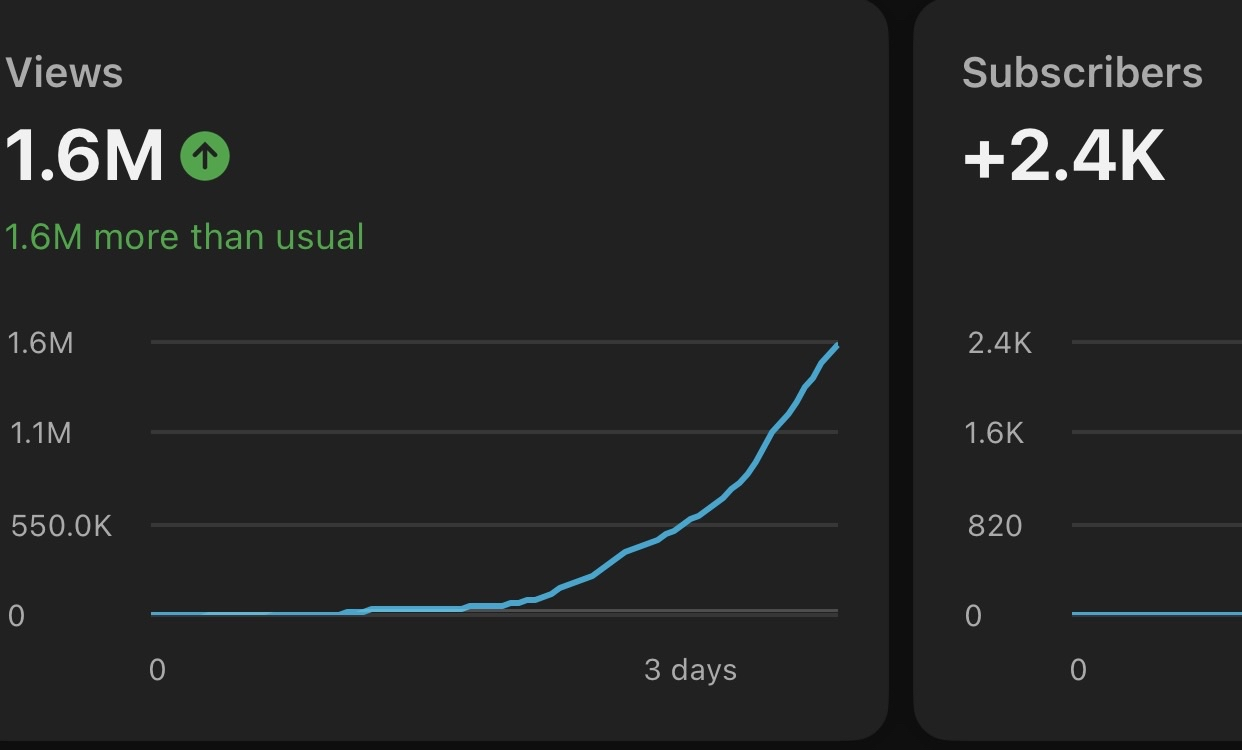
TrustScore vs. manual analytics review
TrustScore organizes the same decision into a repeatable diagnostic while keeping the underlying YouTube data available for verification.
Built for repeatable channel review
Whether you're just starting or already have an audience, use the data-confidence label and category breakdown to choose one source metric to inspect next.
New channels
Use data-confidence and channel-setup checks to decide which basics to review first.
Plateaued creators
Use the category breakdown to choose one source metric and comparable videos to review before the next test.
Consistent uploaders
Compare recent results with prior channel data before testing one controlled adjustment.
Multi-format creators
Review available format inputs and their source metrics in YouTube Studio before choosing a test.
What YouTube publishes,
and what Satura models
YouTube's public guidance describes content performance through three broad questions: did viewers choose to watch, did they keep watching, and did they appear satisfied? Its recommendation overview also explains that results are personalized from many viewer and context signals.
The YouTube Analytics API exposes measurable channel and video data, including engaged views, average view duration, likes, comments, shares, subscribers gained, and other reporting metrics. YouTube does not expose one official creator trust score through YouTube Studio or the API.
Satura TrustScore is a proprietary diagnostic layer over authorized data plus clearly labeled optional inputs. It gives creators a repeatable way to review channel setup, viewer response, watch behavior, engagement, consistency, and data quality in one place.
The score does not reproduce YouTube's private recommendation system and cannot guarantee views. Its purpose is narrower: identify the weakest measured input, recommend a test, and make the next analytics review more focused.
YouTube guidance
Appeal, engagement, satisfaction, and personalization
YouTube data
Defined channel and video metrics available through authorized reports
Satura model
A 0-100 diagnostic, confidence label, and prioritized action list
Primary-source methodology
Official YouTube references behind the explanation
Satura's score is proprietary. The definitions and recommendation context above are checked against YouTube Help and the YouTube Analytics API reference. Methodology reviewed August 3, 2026.
Understand content performance for YouTube recommendations
YouTube's explanation of appeal, engagement, satisfaction, packaging, hooks, and audience retention.
Read official sourceHow YouTube recommendations work
YouTube's overview of personalized recommendations and the primary viewer signals it describes publicly.
Read official sourceYouTube Analytics API metrics
Google's reference for retrievable metrics such as engaged views, average view duration, likes, comments, shares, and subscribers gained.
Read official source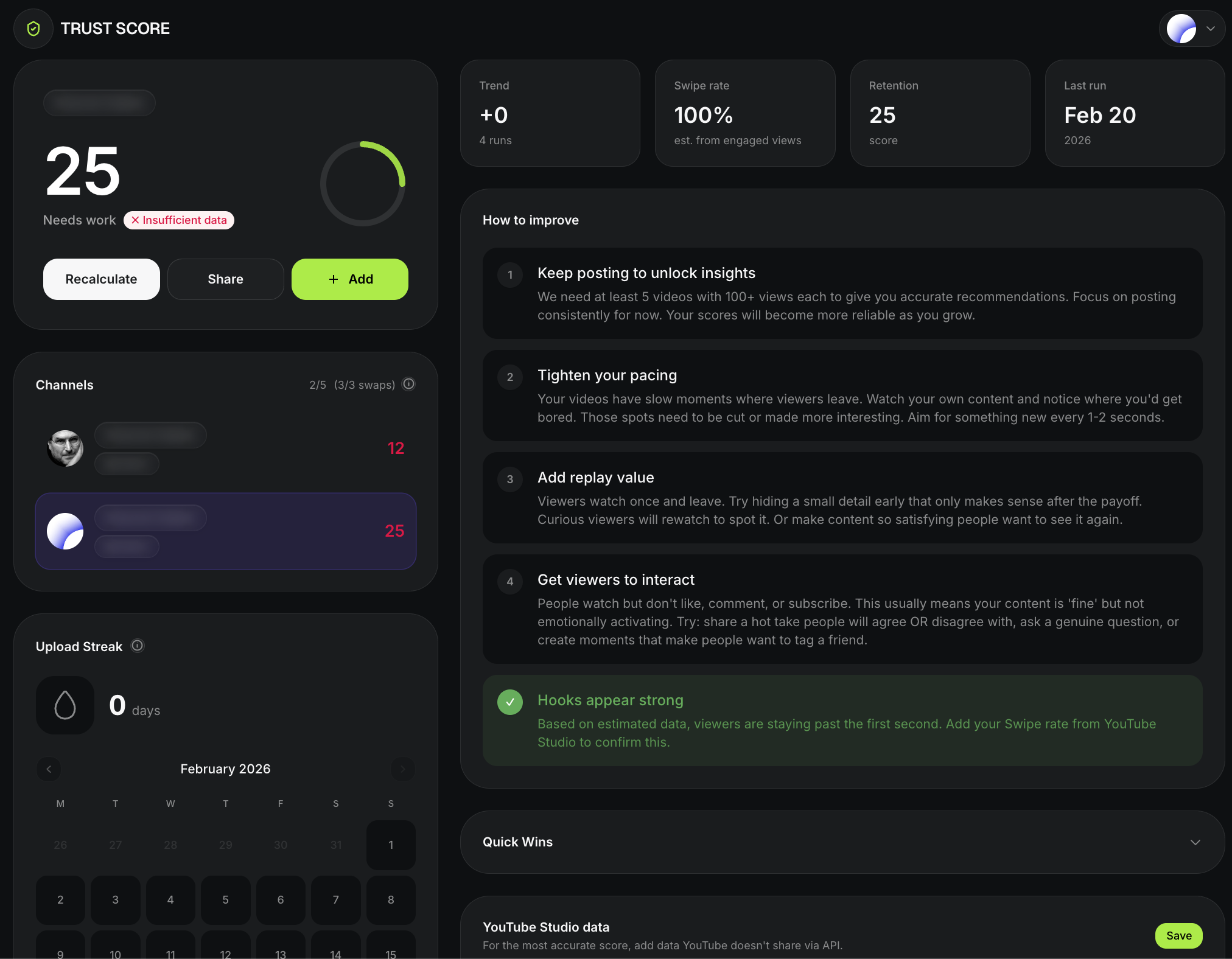
Your entire channel health,
one dashboard
TrustScore connects directly to your YouTube account via OAuth and pulls authorized channel and analytics data. You get a breakdown of Satura's channel health model, the data-confidence level, and the inputs that need attention. Optional Studio-only context is labeled separately.
- Overall TrustScore with category breakdowns
- Individual metric scores with explanations
- Prioritized recommendation list
- Historical tracking to measure improvement
- Data-confidence label for sample quality
Frequently asked questions
More tools for creators
TrustScore tells you what to fix. The rest of Satura helps you fix it — from subtitles and clipping to AI-powered editing.
YouTube Channel Review Template
Keep a selected channel-level Studio window, format and traffic context, and one next operating action beside the separate diagnostic.
YouTube Performance Review Template
Record the source metric, comparable context, observed response, and one controlled next test after a TrustScore review.
Quick Subtitles
Choose a source video in the signed-in paid workspace, review a credit estimate, then inspect the generated caption draft before export.
AutoClip
Start a permitted source session on an active paid plan, review suggested clips, then confirm the 30-credit download quote for a rendered clip.
AI Voiceovers
Sign in to preview current voices, review the paid-plan credit estimate, then inspect generated audio in the editor before continuing.
AI Image Generator
Use an authorized visual brief in the active paid workspace, choose a supported ratio, then inspect the generated PNG draft before using it.
Background Remover
Select one video clip in the signed-in paid editor, review the credit estimate, then inspect the generated result before compositing or export.
AI Video Generator
In the signed-in paid workspace, review current model inputs, settings, and a credit estimate for authorized material, then inspect the completed draft.
Stop guessing. Start growing.
Connect a YouTube channel you own to start the free initial analysis. Review the data-confidence label and weakest measured category before deciding what to test.
Get Your Free TrustScore