What is the quick answer?
Learn how to convert video link to video. Our guide covers browser tools, Satura's import workflow, and key legal tips to get the file you need.
Key takeaways
- Why 'Downloading' Is the Wrong Goal for Creators
- What creators actually need
- Why this mindset shift matters
- The Two Paths to Get a Video from a Link
- The old way
- The newer creator-friendly path
Overview
You’ve probably had this exact moment. You find a YouTube clip, TikTok, interview segment, or livestream replay that would be perfect for a reaction, a news breakdown, a remix, or a short-form cut. You paste the link into a random downloader, wait, close three pop-ups, grab a file, then start the actual work.
That’s the part most creators get wrong.
If your goal is to convert video link to video, downloading the file is only the first inch of the workflow. The actual job is turning that link into something usable, editable, and performance-ready without wasting time on the dead space between tabs, folders, and upload queues. For creators, the fastest workflow wins because production speed compounds. Good ideas die when the process has too much friction.
Video also gives you a clear attention advantage. Viewers retain approximately 95% of a message when it’s delivered through video format, according to Synthesia’s URL to Video page. That’s why the move isn’t “get the file.” The move is “get the clip into a system where you can shape it fast.”
Why 'Downloading' Is the Wrong Goal for Creators
A creator sees a source clip and thinks, “I need to download this.” That sounds logical, but it leads to a clunky workflow. You pull a file down, hunt for it in your downloads folder, rename it, upload it into an editor, wait for processing, then finally start cutting.
That’s not a creator workflow. That’s admin.
The better framing is importing. When you import from a link, you’re treating the URL as source material, not as a file-retrieval problem. That changes how you think about the whole chain. Instead of “How do I get this onto my hard drive?” the question becomes “How do I get this into my timeline with the least friction?”
What creators actually need
Most creators aren’t trying to build a local archive. They’re trying to make something new before the topic goes stale. That matters whether you’re clipping a podcast, pulling a reference for commentary, or turning a long video into multiple shorts.
A practical workflow usually needs more than the file itself:
If you’re already thinking in repurposing terms, guides on content repurposing tools for creators are usually more useful than another list of downloader sites.
Practical rule: If a tool ends with “now upload your downloaded file,” it’s adding a step, not removing one.
- A clean import path so you can start editing right away
- Fast clipping options for highlights, hooks, and short-form cuts
- Quality control so the asset doesn’t look wrecked after conversion
- A repurposing path for YouTube Shorts, Reels, TikTok, and full-length uploads
Why this mindset shift matters
Creators who move fast don’t obsess over owning the file first. They obsess over getting to the edit. The file only matters if it helps the next move. If it slows down trimming, subtitling, resizing, or packaging, it’s the wrong starting point.
That’s why “convert video link to video” is a useful search, but not the full solution. For an actual production workflow, you want the link to become an editable asset immediately.
The Two Paths to Get a Video from a Link
There are really only two paths here. One is the old internet workaround. The other is the creator workflow.
The old way
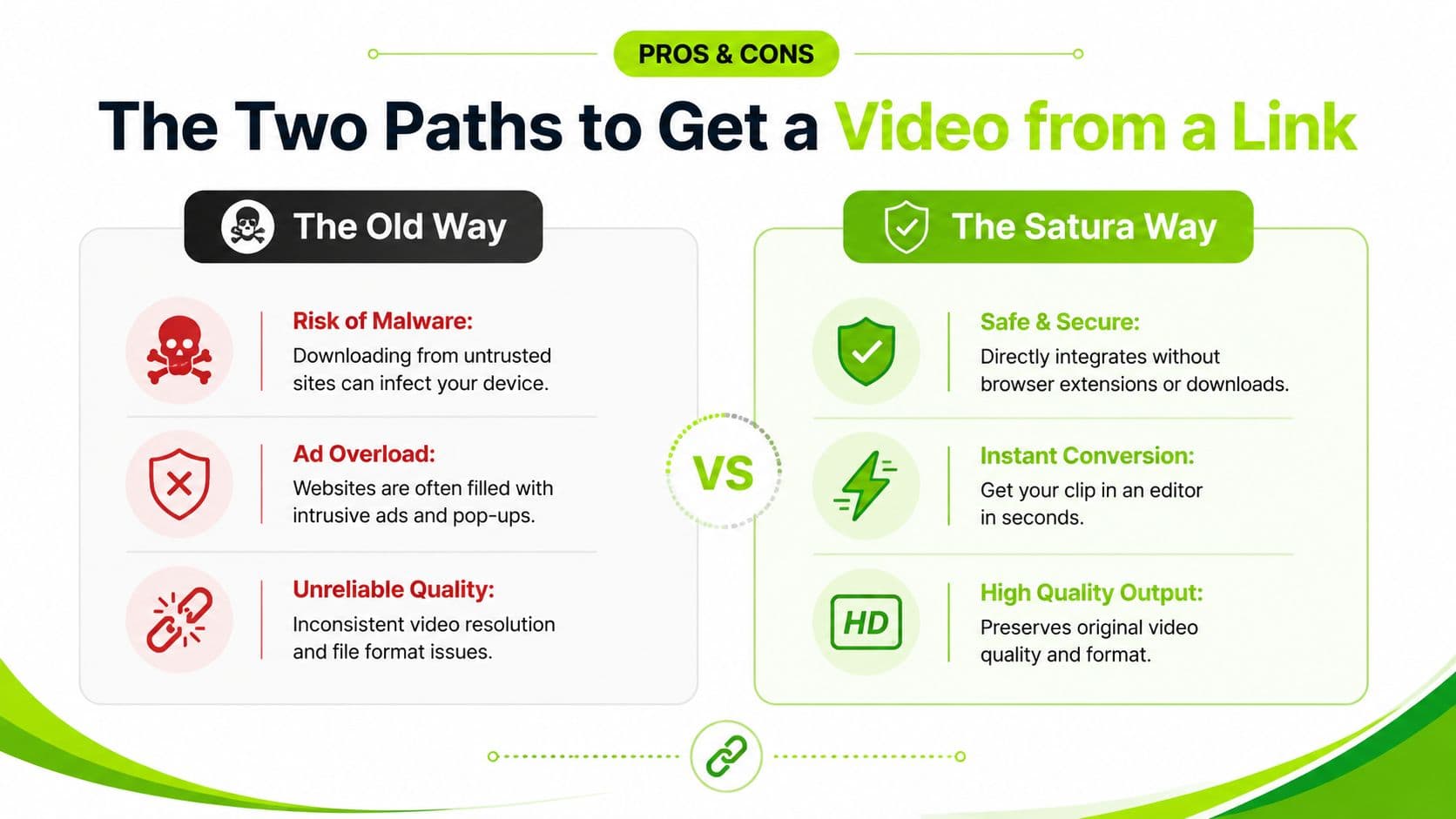
The old way is the familiar one. You paste a link into a random downloader site and hope for the best. Sometimes it works. Often it works badly.
The trade-offs show up fast:
This path also tends to fall apart when you need consistency. A tool that works for one clip may fail on the next platform, choke on a longer file, or export something that looks softer than the original.
- Safety problems. Sketchy converter sites are full of aggressive pop-ups, redirects, fake buttons, and browser-extension bait.
- Messy outputs. You may get the wrong format, a compressed file, broken audio, or a watermark you didn’t expect.
- Workflow drag. Even after a successful download, you still have to upload the file into your actual editing environment.
The newer creator-friendly path
The better path treats a URL as an import source inside a production workflow. That means the clip comes in cleanly, preserves quality more reliably, and lands where you can use it.
That approach lines up with where creator tooling has moved. As noted on ScreenApp’s video-to-URL converter page, many traditional video sharing tools enforce 90-day expiration dates on free content, while modern creator platforms now offer permanent links and storage. That shift matters because creators need assets that don’t disappear mid-project.
If you’re comparing options, a dedicated YouTube downloader for creator workflows is a much better place to start than a random search result stuffed with ads.
Old downloader sites solve one moment. Integrated creator tools support the whole chain after that moment.
Side-by-side decision check
| Approach | What you get | What usually goes wrong |
|---|---|---|
| Random downloader site | A file, if the tool works | Ads, poor quality, format issues, extra steps |
| Integrated import workflow | Editable source material | Fewer handoffs, cleaner path to clipping and export |
The biggest difference isn’t convenience. It’s momentum. If the clip arrives ready for editing, you keep your creative focus. If the process sends you through folders, conversion errors, and re-uploads, you lose time and often lose the idea’s edge too.
The Satura Workflow From Link to Editor in Seconds
A clean import workflow should feel boring. Paste the link, let the system pull in the asset, and start cutting. That’s the standard creators should expect now.
What the fast workflow looks like
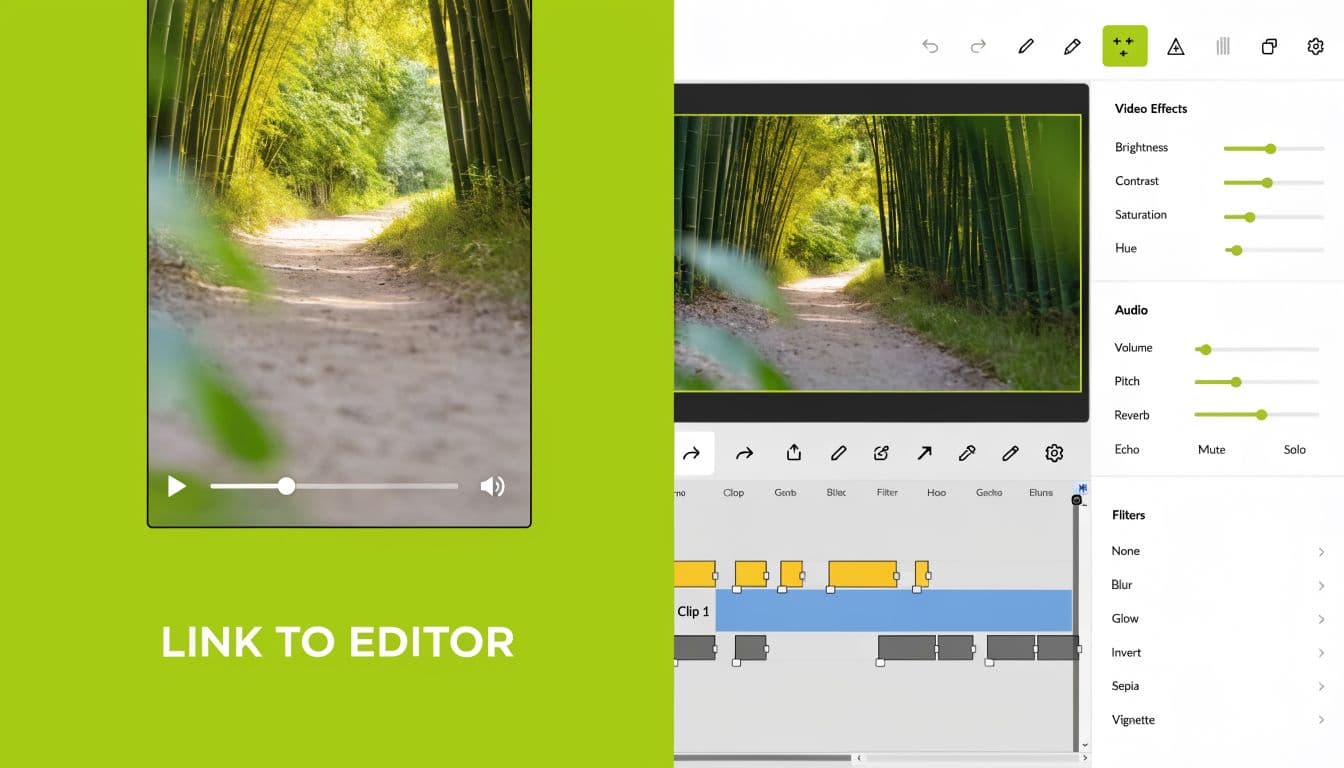
You paste a YouTube or TikTok link into the import field. The platform ingests the source, places it into your media area, and makes it available to edit without forcing the download-then-upload loop.
That matters more than people think. The old loop breaks your flow in four places:
A good browser-based editor collapses that into one action. The link becomes media. That’s the entire point.
- You retrieve the file
- You locate and organize it locally
- You upload it again into your editor
- You wait for another round of processing
What to do once the clip lands
When the import works properly, your next actions should be immediate and obvious:
That’s why a browser-based AI video editor built for creators makes more sense than disconnected utilities. You’re not hopping between a downloader, a converter, a subtitle app, and a separate timeline editor. You’re just editing.
The best import tool is the one you stop noticing because you’re already inside the creative work.
- Trim the dead air at the front
- Mark the strongest segment
- Pull a short clip for vertical
- Build a longer cut for YouTube
- Add captions or cleanup where needed
What works in practice
For commentary creators, the winning move is usually to import only what you need and cut fast. Don’t grab a long source clip and then spend forever searching for the useful thirty seconds. Bring it in, skim, clip, and move.
For repurposing creators, especially people turning long-form into shorts, the main speed gain comes from keeping everything in one environment. Once the source is in, you can make multiple versions without exporting and re-importing every draft.
Here’s the workflow I’d recommend to any creator trying to convert video link to video without wasting half the session on setup:
If you’re building a more polished package around imported clips, tools that produce studio-quality videos with AI can also help with the finishing side, especially when you need cleaner visuals or a more refined final presentation.
- Paste the link first. Don’t start with a downloader unless you have no other option.
- Check the media immediately. Make sure the import preserved sync, framing, and usable quality.
- Set your output goal early. A YouTube breakdown, a reaction segment, and a short-form teaser all need different cuts.
- Work from the opening. Most creators scrub randomly. Start by fixing the first seconds first, then build outward.
- Create platform-specific duplicates. Don’t force one edit to serve every platform.
What are the common questions?
What is the short answer for Convert Video Link To Video Easily?
Learn how to convert video link to video. Our guide covers browser tools, Satura's import workflow, and key legal tips to get the file you need.
What should creators do first?
One subtitled social cut that works without sound
Who is this guide for?
This guide is for YouTube creators, faceless channel operators, agencies, and teams using AI tools to improve video production and growth.
Action checklist
Apply this to your channel today.
- 1One subtitled social cut that works without sound
- 2One trimmed teaser with a faster open
- 3Commentary and transformation matter. If you’re adding analysis, critique, reaction, or a new framing, you’re in a safer lane than a straight repost.
- 4Credit helps, but it isn’t permission. Naming the source is good practice. It doesn’t erase infringement risk.
- 5Fair use is a defense. It’s something argued after a dispute. It isn’t a shield that prevents claims.
Sources & methodology
- Satura editorial guide based on the source video, topic cluster, and article sections.
- Source video reviewed for this article: https://www.outrank.so/