What is the quick answer?
Master YouTube Shorts editing with a complete workflow for viral clips. Learn smart cuts, hooks, AI, and growth strategies to get more views.
Key takeaways
- Stop Editing and Start Engineering Your Shorts
- The Foundation A Perfect Canvas and Ruthless Cuts
- Set up for vertical first
- Cut for clarity before style
- Engineering Retention Hooks Pacing and Captions
- Build the first seconds like a promise
Overview
A creator I know spent half a day polishing a 45-second Short. Clean grade, slick motion text, trendy audio. It died almost immediately.
That happens every day, not because creators can't edit, but because they're solving the wrong problem. In youtube shorts editing, the primary job isn't making a clip look impressive. It's building something that survives the swipe, earns retention, and gives you usable signals for the next edit.
Stop Editing and Start Engineering Your Shorts
The old workflow is familiar. Open the editor. Drag in footage. Add transitions. Fix colors. Try a few text animations. Export and hope. That workflow feels productive, but it's built around taste, not performance.
The channels that scale treat youtube shorts editing like a system. They don't ask, "Does this look cool?" first. They ask, "Will someone stay through the next beat?" That shift changes every editing decision, from the opening frame to the final loop.
The market has forced that change. YouTube Shorts jumped from 70 billion daily views in late 2024 to over 200 billion daily views in 2025, while roughly 12 million new Shorts are uploaded each day, according to Thunderbit's YouTube Shorts engagement metrics roundup. The audience is massive. The competition is brutal.
Practical rule: A Short doesn't fail because the editor lacked effort. It usually fails because the video didn't create enough curiosity, clarity, or momentum in the first moments.
That matters more than polish. I've seen simple cuts outperform busy edits because the simple version got to the point faster. I've also seen creators bury the best moment under a soft intro, then wonder why the retention graph falls off a cliff.
A better workflow starts with constraints. Vertical framing. A fast first frame. One idea per clip. A cut every time attention softens. Then you publish, read the data, and feed that back into the next version. That's the operating model, not a one-off trick.
If your process still depends on editing longer, not learning faster, this breakdown of a video production system that ships consistently will feel familiar. The point isn't more effort. It's fewer wasted edits.
The Foundation A Perfect Canvas and Ruthless Cuts
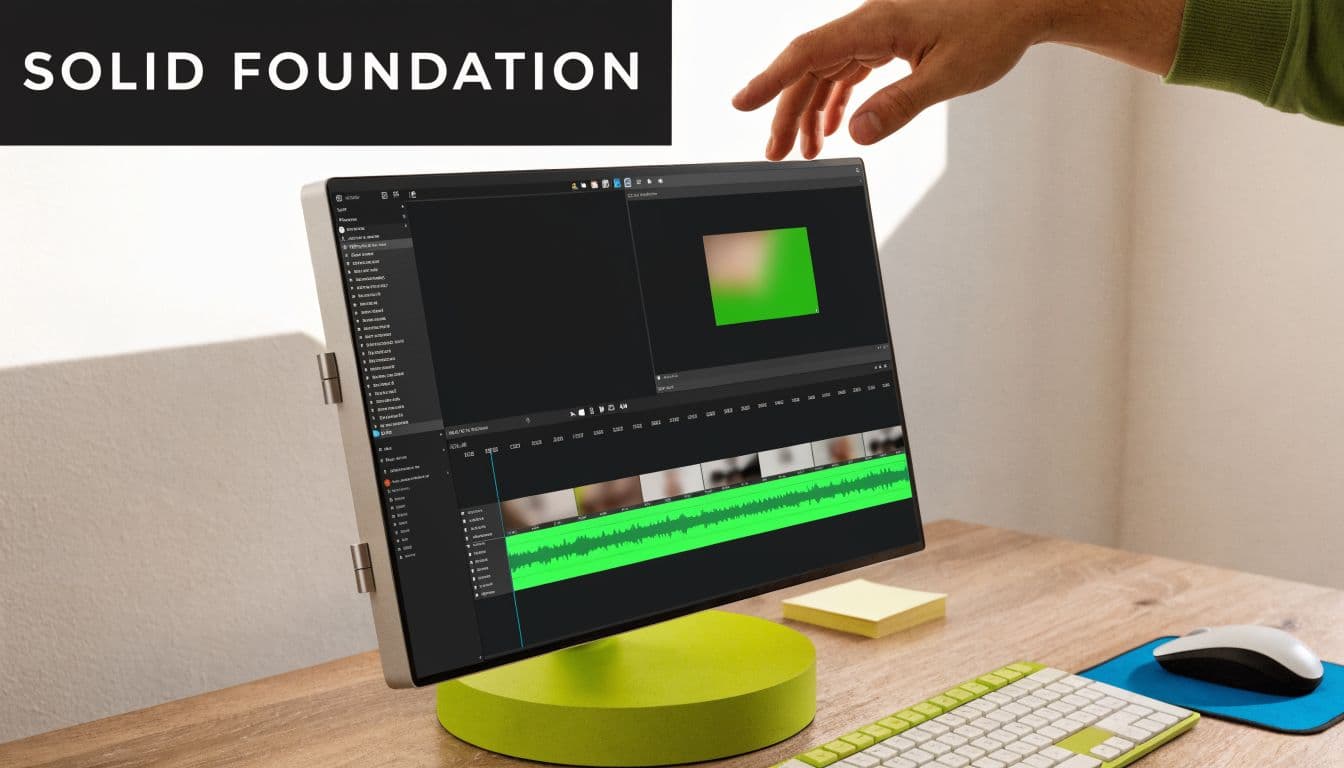
Most weak Shorts are already in trouble before the first real cut. The project is framed wrong, the subject sits too low in the screen, dead air is left in the clip, and the editor tries to rescue the mess later with effects. That almost never works.
Set up for vertical first
Start with a 9:16 vertical timeline and make every framing decision with a phone screen in mind. Don't build a horizontal sequence and crop it later if you can avoid it. Late cropping usually creates awkward headroom, chopped hands, and text that fights the subject.
A clean setup checklist helps:
If you're comparing software before building that workflow, this overview of what YouTubers use to edit videos is useful because the best tool is often the one that keeps vertical editing fast, not the one with the biggest feature list.
- Frame for the center: Keep the face, product, or action where a mobile viewer naturally looks first.
- Leave room for captions: Don't place the subject so low that subtitles cover the mouth or key action.
- Check first-frame readability: If someone glances for a split second, they should immediately know what kind of video they're watching.
- Edit in the final format: That prevents painful rework when you export.
Cut for clarity before style
The first pass shouldn't be glamorous. It should be violent. Trim the breath before the sentence. Cut the repeated phrase. Remove the setup if the payoff already explains the idea. If a shot doesn't increase clarity or tension, it goes.
That's where a lot of creators hesitate. They keep material because it was hard to record or because they like the line. Viewers don't care how hard it was to capture. They care whether the next second earns their attention.
Use this order on your rough cut:
A polished bad sequence is still a bad sequence.
One good test is to mute the timeline and watch it once. If the story feels slow even without audio, the structure is weak. Then play only the audio. If the clip drags as a voice-only sequence, the wording is weak. Ruthless cuts reveal both problems fast.
- Top and tail every clip so action starts early and ends the moment the point lands.
- Pull the strongest line forward even if it happened later in the original recording.
- Use quick J-cuts and L-cuts when needed so the next sentence or sound cue arrives before the visual change feels late.
- Ignore decoration for now. No transitions, fancy zooms, or sound sweetening until the sequence already works raw.
Engineering Retention Hooks Pacing and Captions
One of the fastest Shorts audits I do goes like this. I open the retention graph, see the cliff in the first second, then scrub the edit and find the same problem every time. The clip started with setup instead of payoff. The editor was arranging footage. The channels that scale engineer the first five seconds against viewer behavior, then use post-publish data to tighten the next cut.
Build the first seconds like a promise
The opening frame has one job. Stop the swipe by creating an open loop the viewer wants closed.
A good Shorts hook gives proof that something is about to happen. Show the broken result before the explanation. Start on the mistake, not the greeting. Put the most specific claim first, then earn it in the next beat. Analysts at All Out SEO's YouTube Shorts engagement analysis found that Shorts with an immediate hook in the first 2 seconds retain 19% more viewers.
The strongest hooks usually follow a small set of patterns:
Weak hooks explain too early. "Hey guys." "Today we're talking about..." "A lot of people ask me..." Those lines burn the highest-risk seconds in the whole video. If you want examples of openings that kill retention before the idea even starts, study these anti-hooks in YouTube Shorts openers.
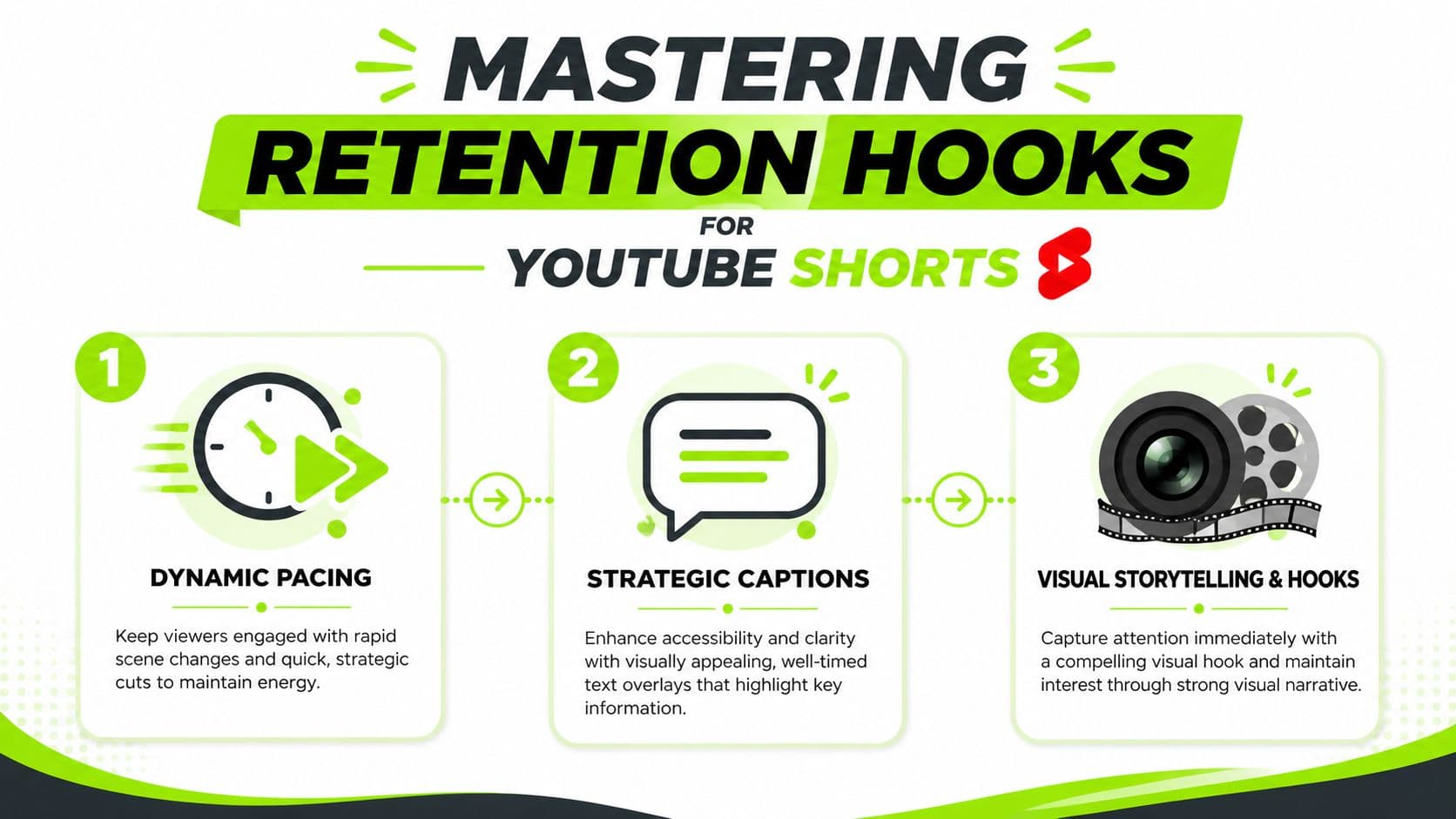
A visual breakdown helps here:
- Start inside the result: "This one edit stopped my Shorts from dying at second one."
- Open on visible change: a bad frame, then the fixed frame.
- Create unfinished tension: "I changed one line and the retention graph flattened."
Use pacing to create resets
Pacing is not just speed. Pacing is controlled change.
Uniform edits often underperform because the viewer's brain adjusts to the rhythm, then stops feeling new information arrive. HubSpot notes that short-form video performs best when it gets to the point quickly and keeps attention with movement and variation, a useful benchmark for why static pacing loses energy fast in feed environments (HubSpot video marketing statistics).
I build pacing in three layers:
The trade-off matters. Cut too slowly and the Short leaks viewers before the point arrives. Cut too aggressively and the sequence feels anxious, cheap, or hard to follow. Good editors alternate intensity. Fast beat, breath, proof, reset.
One sentence is often enough to save a timeline. Cut the moment right after the viewer gets the point.
Then check the graph after publish. If retention drops on the same sentence across several Shorts, the problem is not reach. The pacing around that sentence is late, repetitive, or overloaded. Fix the next edit there first.
- Micro pacing: trim dead syllables, slow reactions, and empty gaps between lines.
- Visual pacing: change framing, scale, crop, or shot size when a new beat lands.
- Information pacing: deliver one idea at a time, then reset attention with a new angle or proof point.
Turn captions into visual control
Captions do more than translate speech. They direct the eye, stage emphasis, and help hold attention when people watch with low volume or no volume.
In youtube shorts editing, captions work best when they support the edit instead of covering for a weak one. Static subtitles at the bottom are fine for simple clips. Dynamic captions usually perform better when the delivery is fast, the framing is tight, or the message depends on emphasis. The mistake is overdesign. If every word pops, shakes, and changes color, none of it feels important.
Use three rules:
If viewers rewatch a line, captions may be helping. If they swipe at the moment a giant text block appears, the captions are creating friction. That is the feedback loop. Review the retention dip, inspect the frame, then decide whether the next Short needs fewer words, bigger type, different placement, or a slower reveal.
If you want a practical workflow, Klap has a helpful guide on how to add captions to YouTube Shorts without turning the screen into a text wall.
- Edit for readability: remove filler and tighten wording instead of captioning every spoken imperfection.
- Keep each line short: phone screens punish dense text.
- Animate selectively: emphasize the one phrase that carries the point.
The Sonic Layer Audio Music and Sound Design
A Short with average visuals and clean, intentional audio can still work. A Short with strong visuals and harsh, muddy, distracting audio usually won't. Viewers may not name the problem, but they feel it immediately.
Bad audio kills trust fast
Most creators obsess over what the viewer sees and barely monitor what the viewer hears. That's backward. On mobile, people tolerate less-than-perfect visuals all the time. They don't tolerate audio that sounds distant, clipped, or buried under music.
The first fix is simple. Make the spoken track the boss. Dialogue or voiceover should be crisp, centered, and easy to understand without strain. Remove obvious background noise, cut distracting breaths if they're excessive, and level the volume so the clip doesn't jump wildly from line to line.
A practical audio stack usually looks like this:
If you're using narration instead of on-camera speech, AI voiceovers for creator workflows can help maintain consistency across batches of Shorts, especially for faceless channels and repurposed clips.
Field note: If viewers have to work to understand a sentence, they usually won't. They'll swipe.
- Primary voice track first: Clean, leveled, and easy to parse.
- Music underneath: Supporting emotion, never competing with speech.
- Effects only where they matter: A hit, swoosh, click, or riser when the edit needs punctuation.
Music should shape movement
Music isn't wallpaper. It gives the timeline shape. A beat can signal where to cut. A drop can hold a reveal. A brief pause in the track can create suspense more effectively than another flashy transition.
The mistake is choosing a song because it's popular, then forcing the edit under it. Better editors do the reverse. They choose a track that fits the emotional job of the clip, then use it to support the story.
A few choices work consistently:
Too many effects make a Short feel synthetic. Too few, and it can feel flat. The right amount is when the viewer notices the smoothness, not the sound library.
- Use lighter rhythmic tracks for commentary, tutorials, and list-style clips where speech has to stay clear.
- Use stronger beat structure when the video depends on visual reveals, transformations, or montage energy.
- Use restrained sound effects to make text reveals and cut points feel intentional.
What are the common questions?
What is the quick answer for Master YouTube Shorts Editing for Viral Success?
Master YouTube Shorts editing with a complete workflow for viral clips. Learn smart cuts, hooks, AI, and growth strategies to get more views.
What should creators do first?
Schedule the batch
What is this article based on?
Satura editorial guide based on the source video, topic cluster, and article sections.
Action checklist
Apply this to your channel today.
- 1Schedule the batch
- 2Sharp early drop: The opening frame was weak, the promise was unclear, or the first spoken line took too long.
- 3Steady decline: The sequence made sense, but the pacing stayed too flat.
- 4Drop on a specific sentence or shot: That moment probably felt confusing, repetitive, or lower energy than the rest.
- 5Strong retention with low reach: The content may be solid, but packaging or topic framing may need work.
Sources & methodology
- Satura editorial guide based on the source video, topic cluster, and article sections.
- Source video reviewed for this article: https://www.outrank.so/