01
Describe one shot
Name the subject, setting, and one main action the viewer should understand.
Free browser tool
Turn a rough scene into a structured prompt for Sora, Veo, Kling, Seedance, Wan, Hailuo, or Grok. Set the shot, camera, lighting, format, audio, and exclusions, then copy the result without signing up.
Paste-ready output
Prompt text is assembled locally in your browser. AI video rendering is a separate, credit-based step inside Satura.
Prompt workflow
The builder produces text, not a rendered video. Use it to clarify the shot first, then generate the clip in Satura and judge motion, composition, subject consistency, and usefulness in the final edit.
Name the subject, setting, and one main action the viewer should understand.
Choose framing, camera movement, lighting, style, mood, format, and shot length.
Generate a structured prompt in the browser, review it, and copy the final text.
Use the prompt in Satura, compare the result, then add it to a complete video timeline.
Prompt anatomy
More words do not automatically make a better video prompt. Specific, compatible instructions are more useful than a long list of competing actions, camera moves, and styles.
Keep the core event readable. One coherent shot is easier to direct and revise than several unrelated events.
Choose the framing and one camera instruction, such as a push-in, orbit, tracking move, pan, or locked frame.
Add only the visual qualities that materially change the result, then keep those choices internally consistent.
Compose for 16:9, 9:16, or square and make sure the action can finish within the chosen clip length.
Add ambience or sound direction when the target model supports audio, and state the artifacts or elements to avoid.
Prompt to finished edit
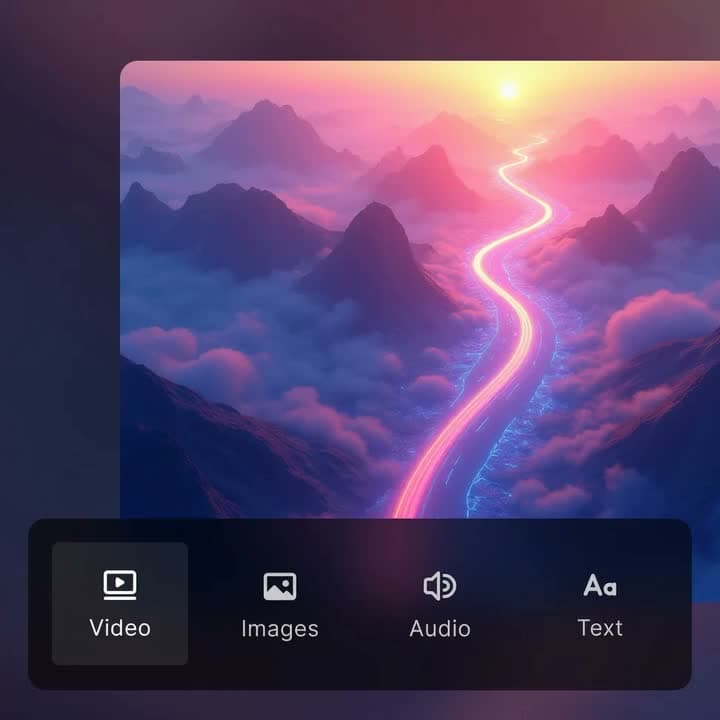
Satura places AI video generation inside a browser editor. After the prompt produces a useful clip, arrange it with other scenes, add captions, voiceover, music, text, and cuts, then export the complete video.
Compare supported text-to-video and image-to-video models
Review each model's duration, format, resolution, and audio controls
Move the chosen generation directly into a multi-layer timeline
Supported workflows
The builder creates a model-agnostic starting point. Use the target model selector to organize the job, then confirm the exact controls available in Satura before rendering.
| Model | Useful starting point | Prompt emphasis |
|---|---|---|
| Sora 2 | Cinematic scenes and concise narrative shots | A clear subject, one action, camera direction, and a readable final composition |
| Google Veo 3.1 | Realistic scenes and sound-aware generations | Precise scene direction plus optional ambience, dialogue, or sound cues |
| Kling 2.6 Pro | Subject motion and controlled camera direction | Physical action, camera movement, framing, and optional generated sound |
| Seedance 1.5 Pro | Flexible creator formats and duration choices | Scene order, movement, visual continuity, and the intended output format |
| Wan 2.6 | Longer shot experiments and visual sequences | A clear timeline of action with stable subjects and restrained camera instructions |
| Hailuo 2.3 | Focused short clips and fast visual drafts | One direct action, clean framing, and only the most important visual details |
| Grok Imagine | Flexible lengths and stylized visual ideas | Strong central concept, readable motion, style, mood, and aspect ratio |
Prompt examples
Close-up shot of a creator planning a video at a bright desk covered with sketches and reference frames. The hands sketch three interface ideas while paper notes shift naturally. Camera direction: smooth tracking movement alongside the subject. Visual direction: observational documentary realism, soft natural daylight, calm and focused mood. Format: 16:9 horizontal composition, 8-second shot.
Close-up shot of a matte black travel mug centered on a minimal stone pedestal. The product rotates slowly as a narrow light sweep reveals its texture. Camera direction: controlled orbit around the subject. Visual direction: polished premium commercial, controlled studio lighting with clean shadows, confident premium mood. Format: 9:16 vertical composition, 6-second shot.
Wide establishing shot of a working urban greenhouse during the first inspection of the morning. Workers inspect young plants as irrigation mist drifts through the frame. Camera direction: subtle handheld camera movement. Visual direction: observational documentary realism, soft overcast light with low contrast, bright optimistic mood. Format: 16:9 horizontal composition, 10-second shot.
FAQ
An AI video prompt generator turns a rough scene idea into a more structured instruction for a text-to-video model. A useful prompt names the subject, action, framing, camera movement, lighting, style, format, and any sound or exclusions that matter.
Yes. Satura's public video prompt builder is free to use and does not require sign-up. It creates and copies prompt text in your browser. Rendering the video inside Satura is a separate credit-based action.
No. This page creates a paste-ready text prompt. To render the clip, open Satura's AI video generator, choose a supported model, review its available format, duration, resolution, and audio settings, then generate and edit the result.
Yes. The builder uses a model-agnostic shot structure that works as a starting point for Sora 2, Google Veo, Kling, Seedance, Wan, Hailuo, and Grok Imagine. Each model has different controls and may interpret the same instruction differently, so compare results and revise one variable at a time.
Start with one clear subject in a specific setting, then add one main action, shot size, camera movement, lighting, visual style, mood, aspect ratio, and realistic shot length. Add audio direction only when needed, and list exclusions for recurring unwanted artifacts.
Yes. Choose the 9:16 vertical format and keep the subject readable in the center of the frame. Use one fast, understandable action for the generated clip, then add narration, captions, music, and the rest of the sequence in the editor.
Yes, when the selected video model and variant support generated audio. Keep dialogue short enough for the clip duration, identify who speaks, and separate spoken words from ambience and sound effects. The Satura generator shows the audio controls available for each model.
The public builder assembles the prompt locally in your browser and does not send the form fields to an AI generation API. If you continue into Satura to render a video, the signed-in product workflow and its applicable privacy terms govern that generation request.
Next tools
Turn the finished prompt into a generated clip and continue editing.
Compare Sora, Veo, Kling, Seedance, Wan, Hailuo, and Grok.
Start from a visual reference and add controlled movement.
Arrange generated clips with captions, voiceover, music, and cuts.
Build the prompt free, then generate and assemble the strongest result in Satura.