What is the quick answer?
Ditch slow software. Learn a faster video editing for YouTube Shorts workflow using AI to plan, edit, package, and export viral-ready clips in minutes.
Key takeaways
- Stop Editing Shorts Start Engineering Virality
- Retention is the real editing job
- The old editing mindset loses on Shorts
- Find Your Viral Moments Before You Even Edit
- Start with selection not trimming
- Use AI to shortlist then use taste to choose
Overview
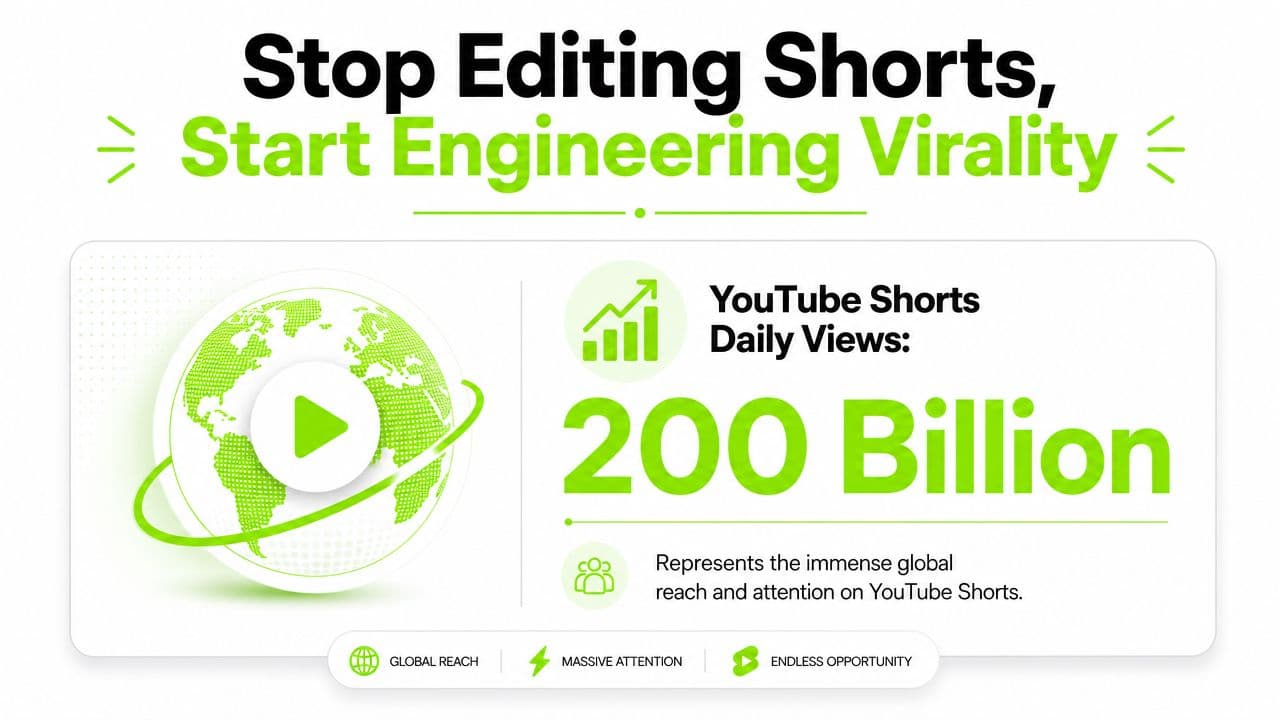
Most creators still treat Shorts editing like mini long-form editing. That's backward. By June 2025, YouTube said Shorts were averaging over 200 billion daily views and reaching more than 2 billion signed-in users each month, which is exactly why survival on Shorts became a retention game, not a polish game, as noted in this YouTube Shorts scale breakdown.
If you're serious about video editing for YouTube Shorts, stop obsessing over fancy transitions and start making ruthless decisions about what earns the next second of attention. The winning workflow is faster, more diagnostic, and a lot less sentimental about your footage.
Stop Editing Shorts Start Engineering Virality
Shorts editing used to be a side task. Clip a moment, add captions, toss it up, hope for the best. That workflow is dead.
When you're publishing into a feed this crowded, the question isn't whether your video is edited. The question is whether the edit creates enough curiosity, clarity, and momentum to stop a swipe. That's a different discipline entirely.
Retention is the real editing job
The best Shorts editors don't think like traditional editors. They think like audience engineers. Every cut has one job. Keep the viewer from leaving.
That means the first seconds carry absurd weight. If the viewer doesn't instantly understand what they're getting, why it matters, and why this clip feels alive, they're gone. Not after the payoff. Not after the setup. Immediately.
Practical rule: If the opening line needs context, it's probably the wrong opening line for a Short.
This is also why speed matters. Slow workflows make creators keep weak clips, overwork mediocre ideas, and publish too late. If you want a broader system for content planning around short-form distribution, this guide for social media video strategy is worth reading alongside your editing process.
The old editing mindset loses on Shorts
Long-form editing rewards patience. Shorts rewards compression. Long-form can earn attention over time. Shorts has to deserve attention almost instantly.
Here's the shift I recommend:
Good video editing for YouTube Shorts isn't about doing more to the footage. It's about removing everything that doesn't pull its weight.
- Stop preserving chronology: Start with the strongest moment, not the first moment.
- Stop polishing everything: Fix the hook, pacing, and clarity first.
- Stop editing by habit: Edit based on what the audience needs to understand right now.
- Stop treating AI like a gimmick: Use it to remove repetitive work so your brain stays on the creative decisions.
Find Your Viral Moments Before You Even Edit
Most Shorts die before the timeline even opens. The creator picked the wrong clip.
If you're repurposing podcasts, streams, interviews, tutorials, or talking-head videos, manual scrubbing is one of the worst uses of your time. You sit there dragging the playhead, convincing yourself average moments are usable because you've already spent too long looking.
Start with selection not trimming
Clip selection is the primary first edit. If the raw moment doesn't contain tension, surprise, a useful payoff, or a clean emotional beat, no amount of captions and zooms will save it.
I like to sort candidate clips into three buckets:
| Clip type | What it usually does well | Where it often fails |
|---|---|---|
| Strong opinion | Creates immediate tension | Needs context if the line starts too late |
| Clear transformation | Delivers a satisfying payoff | Can feel slow if setup is too long |
| Unexpected confession or insight | Stops the scroll fast | Falls apart if the wording is vague |
A good candidate usually gives you one of these in the first breath:
- A sharp claim: something people agree with or want to argue with
- A visible change: before/after, mistake/fix, problem/solution
- A curiosity gap: the viewer needs the next line to resolve the tension
Use AI to shortlist then use taste to choose
An AI-native workflow is more practical. Independent guides note that AI clipping tools can reduce manual editing time by about 70-80%, but they still need human review for quality, which is why a hybrid workflow works better, as explained in this roundup of Shorts editing apps.
The clean way to do it is simple. Feed the system a long-form file or link, let it surface likely highlight moments, then review the shortlist with actual editorial judgment. Tools in this category, including Satura AI's clip finder workflow, are useful because they turn “find something usable” into “choose among promising moments.”
Use this review checklist before you approve any candidate clip:
A quick demo helps if you're building this into your weekly process:
Weak source material creates busy editing. Strong source material creates obvious editing.
The trap is assuming any loud, funny, or intense moment is automatically a Short. It isn't. The clip has to stand on its own. If it needs the previous five minutes to matter, it's not ready.
- Does the first spoken line make sense alone
- Is there a payoff people can understand without extra setup
- Would the idea still work with half the words removed
- Can the visual support the point on a phone screen
- Is this moment worth packaging, not just posting
The Three Second Rule and The Retention Edit
Once you've picked a real clip, your job changes. Now you're fighting for the next second, then the next one after that.
A practical workflow creators demonstrate again and again is to remove silence first, then tighten pacing with jump cuts and J-cuts, often keeping individual shots to about 2 seconds or less to hold attention, as shown in this Shorts editing walkthrough. That advice sounds basic, but creators often still do it backward. They add effects first, then wonder why the Short still feels slow.
Cut silence before you touch anything else
Silence isn't just dead space. It's a signal to swipe.
Your first pass should be brutal. Remove pauses, repeated words, false starts, throat-clearing, and every sentence that delays the point. Don't ask whether the line is technically fine. Ask whether the viewer needs it.
This is also where a browser-based workflow can feel unfairly fast. In tools like Satura AI, smart cutting can strip dead air and give you a cleaner starting point before you get into manual timing. That's useful because your best judgment should go into the edit logic, not repetitive cleanup.
A strong first pass usually does four things:
- Starts later: You almost always need less setup than you think.
- Ends earlier: Stop after the payoff. Don't explain the payoff.
- Removes duplicate meaning: If the subtitle says it and the speaker says it clearly, don't add a second visual saying the same thing.
- Preserves energy: Keep breaths that add emotion. Kill pauses that drain momentum.
Edit for momentum not decoration
Shorts pacing isn't random chaos. It's controlled pressure.
Jump cuts work because they eliminate drag. J-cuts work because they pull the next idea forward before the visual changes, which keeps the brain engaged. Punch-ins work when they emphasize a new beat, not when they're thrown in every second like confetti.
If the edit is constantly moving but the idea isn't progressing, the Short feels noisy, not compelling.
A lot of creators hear “fast pacing” and make the clip visually hyperactive. Bad move. The viewer doesn't need endless motion. The viewer needs the feeling that the story is moving.
Use a simple retention rhythm
Try this sequence when you're tightening a Short:
| Moment | Editing goal | What to do |
|---|---|---|
| Opening beat | Stop the swipe | Lead with conflict, surprise, or payoff |
| Middle beat | Prevent drift | Change framing, reveal new information, or introduce proof |
| Closing beat | Reward attention | Deliver the answer cleanly, then get out |
Then pressure-test it with these questions:
For more on how to think about viewer drop-off in the opening seconds, this Shorts swipe ratio guide is a useful reference.
The cleanest retention edit feels inevitable. No wasted phrase. No filler reaction shot. No transition trying to impress you. Just a clip that keeps earning the right to continue.
- Does the opening create a question instantly
- Does each cut introduce something new
- Are there any lines that only exist because you liked saying them
- Does the ending feel finished, not faded out
- Would this still work muted with captions on
Package Your Short for Maximum Impact
A good edit can still lose because the packaging is lazy. On Shorts, packaging isn't separate from the content. Packaging is part of the experience.
YouTube's own guidance puts the basics in the right places: precise timing controls for on-screen text, a vertical 9:16 frame, and simple transitions matter because that's where quality often gets lost, according to YouTube's Shorts editor help documentation.
What are the common questions?
What is the short answer for Video Editing for YouTube Shorts: A Faster Viral Workflow?
Ditch slow software. Learn a faster video editing for YouTube Shorts workflow using AI to plan, edit, package, and export viral-ready clips in minutes.
What should creators do first?
Review the opening: Does the first line create an immediate reason to stay?
Who is this guide for?
This guide is for YouTube creators, faceless channel operators, agencies, and teams using AI tools to improve video production and growth.
Action checklist
Apply this to your channel today.
- 1Review the opening: Does the first line create an immediate reason to stay?
- 2Check clarity: Can a new viewer understand the point without prior context?
- 3Evaluate pacing: Is each cut delivering new information or just movement?
- 4Inspect sameness: Does the Short feel like your idea, or like a template copied from everyone else?