What is the quick answer?
Confused by your channel's performance? Use our YouTube trust score checker guide to diagnose weak signals, understand what they mean, and fix your content.
Key takeaways
- What Is a YouTube Trust Score Anyway
- Think of it like dashboard diagnostics
- Why creators care about it
- How to Check Your YouTube Trust Score
- The hard way
- The smart way
Overview
You uploaded a video you thought would land. The thumbnail was solid. The topic had search demand. Maybe the edit was cleaner than your last few uploads. Then the graph flatlined anyway.
That's usually when creators start inventing ghosts. Shadowbans. Hidden penalties. “The algorithm hates my niche.” Most of the time, the problem is less mysterious than that. Your channel is sending mixed signals, and you're reading the wrong dashboard panels.
That's where a YouTube Trust Score checker becomes useful. Not as a magic number. Not as some secret YouTube label. As a fast way to diagnose whether your videos look healthy, consistent, and worth pushing when a viewer first sees them and when they start watching.
What Is a YouTube Trust Score Anyway
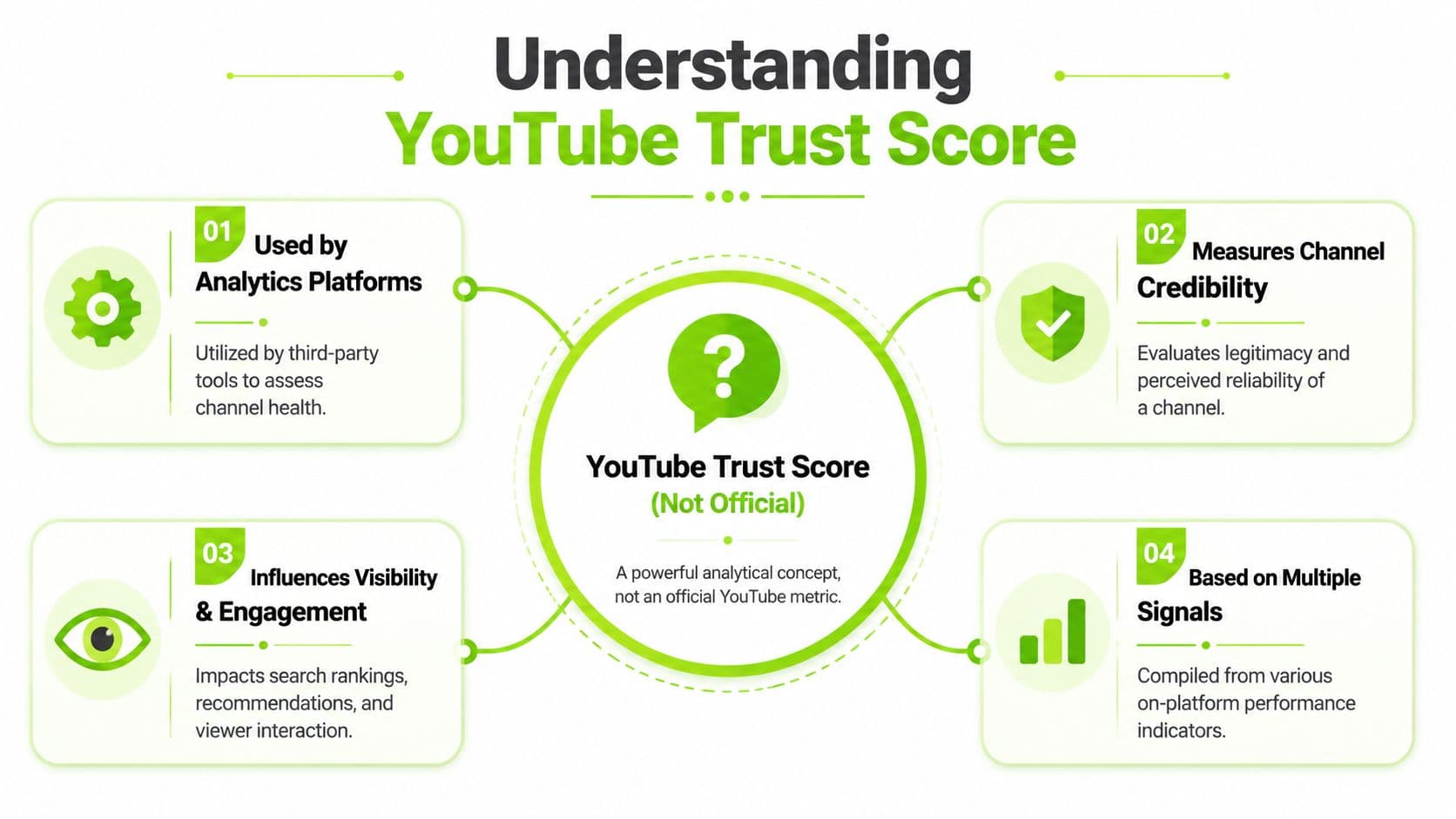
The short answer is no, “YouTube Trust Score” isn't an official YouTube metric.
There's no publicly documented YouTube number with that exact name. What creators call a trust score is usually a third-party composite score built from multiple signals like watch time, average watch time, engagement, shares, comments, clicks, and other channel or video health indicators. One audit tool describes checking channel branding, subscribers, views, total watch time, average watch time per video, average percentage watched at 0:30, likes, dislikes, comments, shares, and clicks on description links, while another says its Trustscore analyzes 30+ YouTube API metrics to explain why videos aren't getting recommended, as noted by TubeRanker's YouTube audit overview.
Think of it like dashboard diagnostics
Your car doesn't give you one giant essay about engine health. It gives you warning lights, gauges, and diagnostic codes. A YouTube trust score checker works the same way.
It takes a pile of messy analytics and turns them into a simpler “health check” so you can stop guessing where the problem lives.
If your score is weak, that doesn't mean YouTube stamped your channel as bad. It usually means the underlying signals are messy. Common culprits include:
Practical rule: Don't treat the score like a verdict. Treat it like a shortcut to the underlying analytics you should inspect first.
- Weak packaging: The title and thumbnail get the click, but attract the wrong viewer.
- Poor early retention: People arrive, then leave before the video earns momentum.
- Thin engagement quality: Views come in, but comments, shares, and interaction don't line up.
- Inconsistent publishing behavior: The channel doesn't build viewer habits.
Why creators care about it
A good checker saves time. That's its true value.
You can absolutely open YouTube Studio and inspect every graph by hand. Experienced creators do that all the time. But Studio can also drown you in details. A composite score gives you a quicker read on whether the issue is retention, packaging, engagement, or consistency.
That matters because a lot of creator advice online talks about “trust” as if YouTube has a hidden meter you can game. It doesn't help. What helps is reading patterns. If a tool translates those patterns into a usable score, it can be worth your attention.
A useful YouTube trust score checker doesn't replace judgment. It sharpens it.
How to Check Your YouTube Trust Score
There are two ways to do this. One is technically possible. The other is practical.
The hard way
Open YouTube Studio and start pulling metrics manually. Check views, watch time, average view duration, retention shape, comment activity, sharing behavior, and how your newer uploads compare with your normal baseline. Then compare those numbers against your content format, your niche, and your recent publishing pattern.
You can do it. It's just slow, and most creators get lost halfway through.
The biggest problem isn't access to data. It's interpretation. One weak graph can fool you into fixing the wrong thing. A video with decent views but shaky retention needs a different response than a video with strong retention and weak clicks. Studio shows both. It doesn't always simplify the diagnosis.
The smart way
Use a dedicated checker that turns scattered analytics into one readable diagnostic layer. If you want to see that workflow, the simplest starting point is Satura's Trustscore tool.
A typical process looks like this:
The best tools don't just say “low score.” They tell you where the leak is.
- Connect your channel so the platform can read the relevant analytics.
- Pull the score and breakdown to see which areas are dragging performance.
- Look for the obvious mismatch between what you thought the problem was and what the data says.
- Choose one fix for the next upload, instead of changing everything at once.
What to avoid while checking
Creators sabotage this part in predictable ways.
| Mistake | What goes wrong |
|---|---|
| Checking too emotionally | You react to one bad upload and misread a larger trend |
| Comparing unlike videos | Shorts, long-form, tutorials, commentary, and entertainment behave differently |
| Obsessing over the number alone | You miss the underlying signal that actually needs repair |
If you use a YouTube trust score checker well, it should reduce confusion. If it makes you stare at one number all day, you're using it wrong.
Decoding the Signals What Your Score Actually Means
A score by itself doesn't help much. The value is in the signals sitting underneath it.
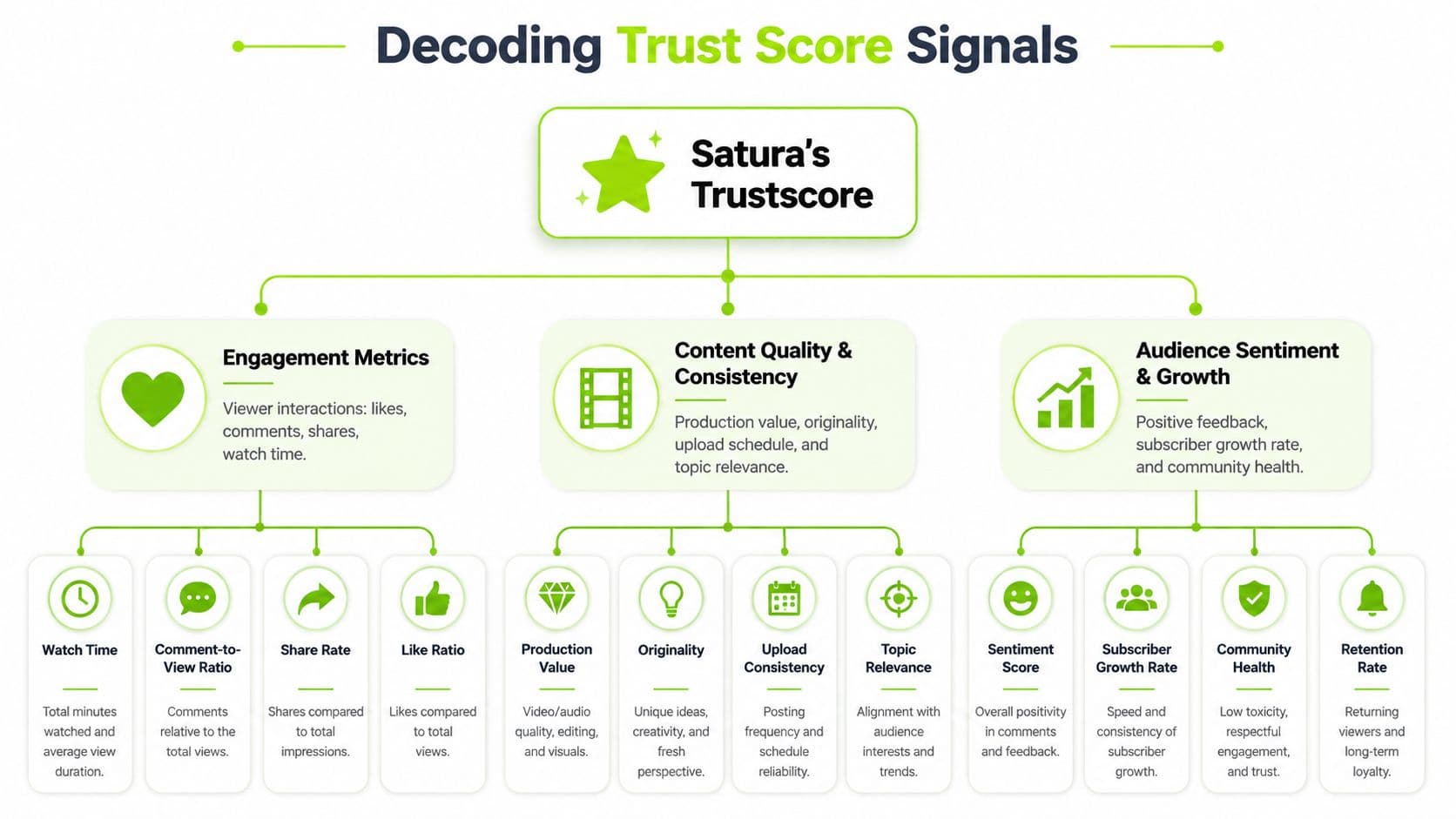
Most useful trust score systems are trying to answer a simple question: does this video or channel look healthy, authentic, and satisfying compared with similar content? That's why the better checkers lean on ratios and patterns instead of one vanity metric.
A score is only useful if it points to a cause
When I look at these systems, I care less about the headline number and more about whether the breakdown helps answer, “What failed first?”
Here are the signals that usually matter most:
If you want to inspect one of the most revealing underlying areas directly, a dedicated YouTube retention analysis tool is often where most insightful answers appear.
A low score rarely means “bad channel.” It usually means “specific friction point.”
- Hook strength: This is the first impression test. If people leave early, the rest of the video never gets a chance. Usually the problem is a slow opening, a mismatch between thumbnail and intro, or too much setup before the payoff.
- Retention quality: This tells you whether the video keeps earning attention after the first few moments. Flat or collapsing retention often points to pacing issues, repetitive sections, weak structure, or a promise the video didn't quickly fulfill.
- Engagement ratios: Likes, comments, shares, and other interaction signals tell you whether viewers cared enough to respond. High views with weak interaction can mean passive consumption, poor audience fit, or low emotional payoff.
- Authenticity patterns: Some tools inspect whether a channel's view behavior makes sense relative to subscriber count, upload frequency, or audience behavior. That doesn't prove anything by itself, but it can flag weird patterns worth checking.
Context matters more than raw ratios
At this point, a lot of creators get burned.
According to HypeAuditor's YouTube channel quality guidance, effective trust score analysis often uses a ratio-based framework such as average views per video versus subscriber count, comments-to-views, likes-to-views, upload frequency, and audience geography. That same guidance also makes the important point that these ratios need normalization by content type. A Shorts-heavy entertainment channel and a long-form education channel won't have the same healthy benchmarks.
That's why blanket rules fail.
A few examples:
Here's the practical reading:
| Signal pattern | Likely interpretation |
|---|---|
| Good click response, weak early retention | Packaging worked. Opening didn't |
| Strong retention, weak engagement | Video satisfied quietly but didn't trigger response |
| Unusual views relative to channel baseline | Could be breakout interest, off-platform traffic, or a mismatch worth reviewing |
| Irregular posting with unstable performance | Audience habits never really formed |
The mistake is treating a YouTube trust score checker like a lie detector. It isn't. It's a pattern detector.
- Short-form channels often behave differently from long-form channels on comments and retention shape.
- Education content may get fewer comments but stronger deliberate watch behavior.
- Entertainment uploads might earn faster interaction spikes but also sharper drop-offs if the opening misses.
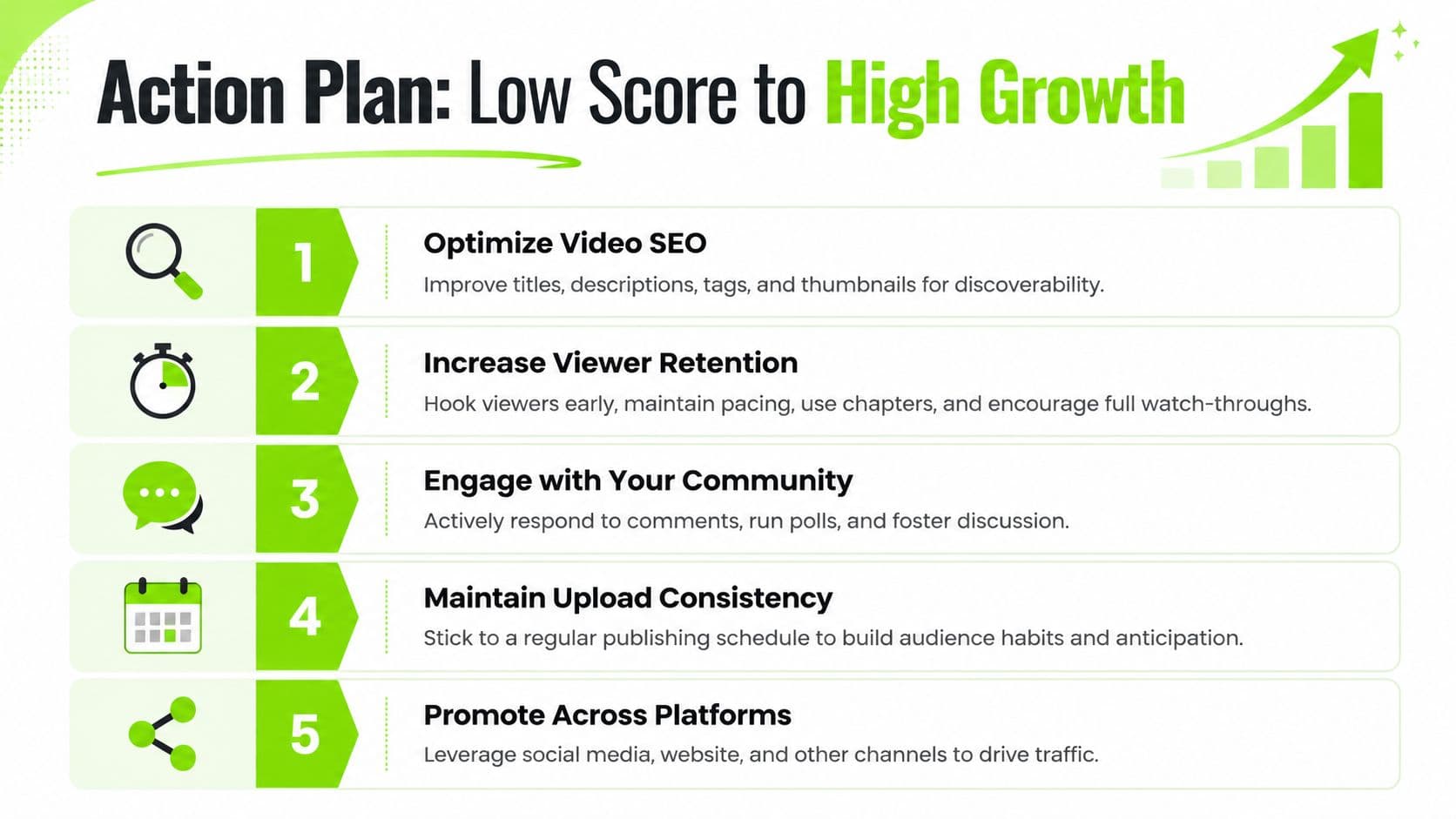
Your Action Plan From Low Score to High Growth
Once the score tells you where the problem sits, stop trying to “improve the score” directly. Improve the behavior that created it.
Start with the signal closest to the top of the funnel. Usually that's the opening, then retention, then engagement and consistency. Fixing them in the wrong order wastes effort.
What are the common questions?
What is the short answer for YouTube Trust Score Checker: What It Is & How to Fix It?
Confused by your channel's performance? Use our YouTube trust score checker guide to diagnose weak signals, understand what they mean, and fix your content.
What should creators do first?
Trim the slow section that arrives before the payoff
Who is this guide for?
This guide is for YouTube creators, faceless channel operators, agencies, and teams using AI tools to improve video production and growth.
Action checklist
Apply this to your channel today.
- 1Trim the slow section that arrives before the payoff
- 2Move the best example earlier
- 3Replace vague setup with direct context
- 4Tighten edits where energy drops
- 5Rewrite your next intro so it matches the thumbnail promise more closely
Sources & methodology
- Satura editorial guide based on the source video, topic cluster, and article sections.
- Source video reviewed for this article: https://www.outrank.so/