What is the quick answer?
Ditch manual editing! Use an AI video editor for Reels to create viral content faster. Explore features, workflow, & best practices for 2026.
Key takeaways
- Stop Editing and Start Creating with an AI Video Editor
- What an AI Video Editor for Reels Actually Does
- Five jobs the software should cover
- What gets automated first
- Key Features That Separate Great AI Editors from Gadgets
- Features that solve real creator problems
Overview
You've probably done this already. You record a solid clip, open your editor, trim dead space, add captions, fix timing, resize for vertical, hunt for B-roll, tweak audio, export, rewatch, catch a typo, export again, and finally post a Reel that took far longer to make than anyone watching it will ever realize.
That's the primary appeal of an AI video editor for Reels. It doesn't just add flashy effects. It takes the repetitive, error-prone parts of short-form production and compresses them into a faster workflow so you can spend more time on hooks, ideas, offers, and testing. In 2026, 78% of Instagram creators use AI-powered editing tools to streamline workflows, which says a lot about where serious short-form production is headed, according to Digen's report on AI video editing for Instagram Reels.
If you're trying to build a repeatable content system instead of grinding through every edit manually, it helps to study adjacent workflows too. The Rapid Ads blog on AI is useful because it frames AI as operating infrastructure, not just a content toy. The same mindset applies to Reels. You're not buying convenience. You're buying back production capacity.
For creators testing low-friction tools before committing to a full stack, this guide to a free AI video editor is a practical starting point.
Stop Editing and Start Creating with an AI Video Editor
You record four solid clips for a Reel, then lose the next three hours trimming pauses, fixing captions, resizing for vertical, balancing audio, and second-guessing the cut. That bottleneck is why many creators miss their posting schedule. The problem is rarely ideas. It is the pile of repetitive edit work that sits between a raw clip and a publish-ready post.
AI editing changes that workload. It handles the mechanical parts fast enough that creators can spend more time on the pieces that drive performance: the first second, the story arc, the payoff, and the call to action. If you want a starting point, this guide to an AI video editor free workflow is useful for testing what should be automated first.
The shift also reflects simple economics. Short-form rewards consistency, and consistency breaks when every Reel requires manual cleanup from scratch. Teams running paid social have already pushed in the same direction because faster creative iteration produces more learning cycles, a point echoed in the Rapid Ads blog on AI. The same logic applies to creators. More output gives you more shots at finding a winning hook, format, and angle.
One rule matters here.
Practical rule: Use AI to remove production drag, not to replace taste.
That trade-off is where strong creators separate from tool collectors. Good AI gets you from raw footage to a usable draft quickly. It does not know your audience better than you do. It will miss context, flatten jokes, cut a pause that was building tension, or choose captions that are technically accurate but visually weak.
The right workflow is not "press button, publish." It is "generate a fast first draft, then apply judgment." Platforms like Satura AI are useful because they do more than cut clips. They help handle the full creator loop, from edit execution to content analysis and iteration, so the time saved in production can be reinvested in better creative decisions instead of more app switching.
That is how creators stop spending their best hours inside the timeline and start using them on content that earns attention.
What an AI Video Editor for Reels Actually Does
A strong AI video editor for Reels handles the repetitive production work that slows creators down between recording and publishing. It identifies promising moments, cleans rough audio, generates captions, reformats for vertical viewing, and prepares exports that fit each platform's specs.
That changes the speed of the whole system. AI has reduced the average time to create a single Reel from hours to about 5 to 10 minutes in optimized workflows, according to Emre Can Selcuk's analysis of AI video editing tools. The bigger win is not just faster editing. It is getting to more publishable drafts per week without adding more manual labor.
Five jobs the software should cover
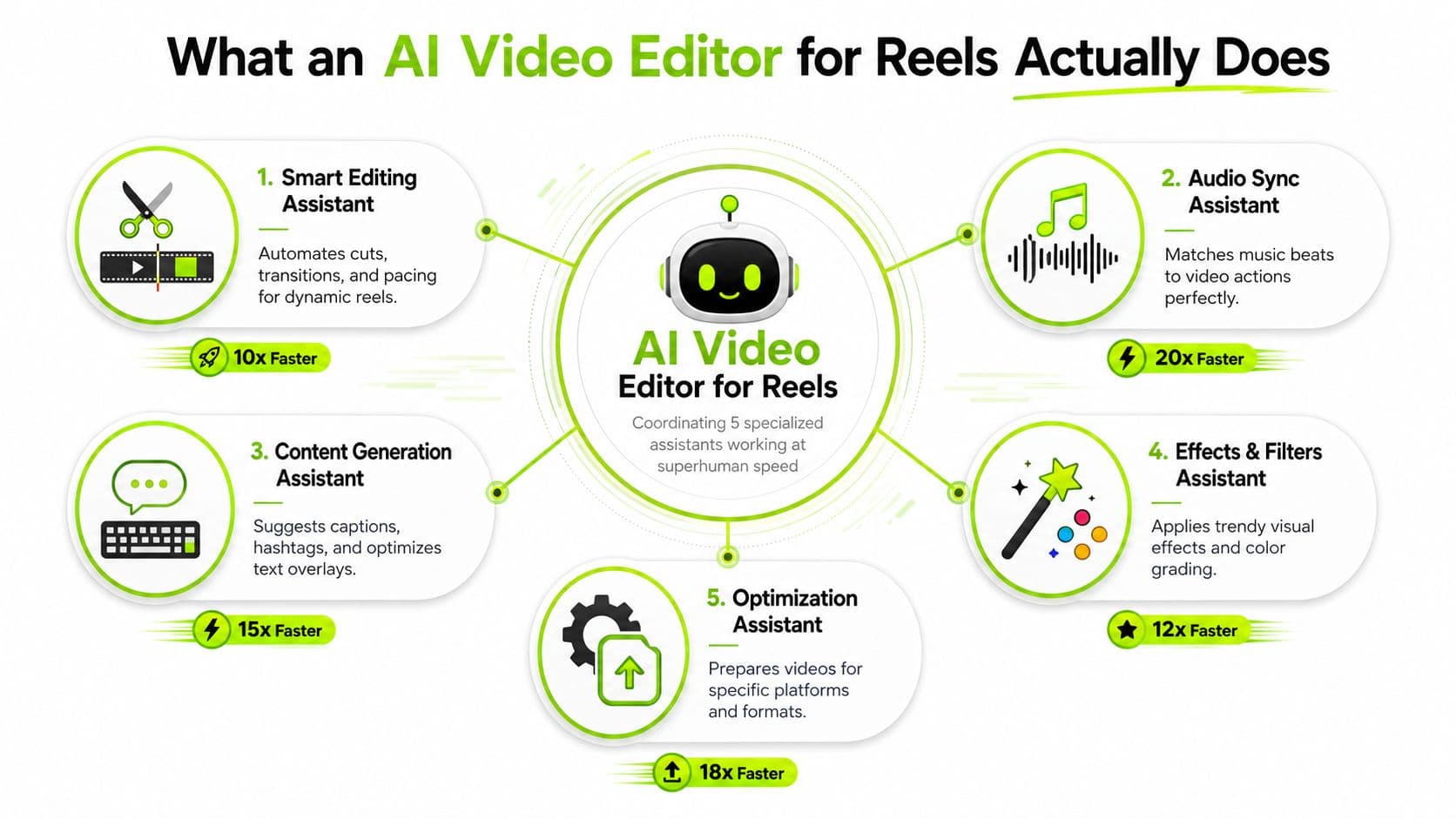
In practice, the software is replacing five low-value tasks that creators used to do by hand:
For podcasters, educators, and interview-led brands, audio cleanup often decides whether a clip feels publishable or amateur. Podmuse on AI for branded podcasts explains why noise reduction and voice processing matter so much in spoken-word content. The same principle carries over to Reels. If the voice is hard to follow, retention drops before the visual edit gets a chance to work.
- Clip selection: Finds spoken sections with a clean start, a clear point, and enough energy to hold attention.
- Caption production: Transcribes speech, syncs subtitles, and keeps text readable on a phone screen.
- Vertical adaptation: Reframes horizontal or wide footage for 9:16 so faces, products, or demos stay visible.
- Audio cleanup: Reduces background noise, smooths speech levels, and keeps dialogue clear under music.
- Export and packaging: Renders versions for Reels, Shorts, and TikTok without rebuilding settings each time.
What gets automated first
The best starting point is the work that consumes time but adds little creative value.
A practical setup usually automates:
This is also where all-in-one platforms start to matter. A creator does not just need edits. A creator needs a workflow that goes from raw footage to published post to performance review, which is why a broader stack of AI tools for video editing is useful to evaluate before choosing software.
One caution from real use. AI is good at pattern recognition, but it still misses context. It can cut the sentence before the payoff, center the wrong speaker, or caption a key term incorrectly. The right setup saves production time, then leaves room for human review on hooks, pacing, and final framing.
- Silence and filler-word removal so rough clips tighten quickly.
- Auto-captioning because subtitle timing is tedious and easy to bottleneck.
- Vertical reframing so one edit can be reused across short-form platforms.
- Brand templates for repeated text styles, colors, and layout choices.
- Basic repurposing so a long clip becomes multiple short assets.
Key Features That Separate Great AI Editors from Gadgets
A lot of tools look impressive in demos and fall apart in real production. They generate captions, throw on transitions, maybe suggest a clip or two, and then leave you fixing the output manually. That's not automation. That's assisted cleanup.
The features that matter are the ones tied to a real creator job. Can the tool find the right excerpt from long footage? Can it hold attention through pacing? Can it turn one raw asset into platform-ready versions without wrecking framing or readability? If not, it's probably a gadget.
Features that solve real creator problems
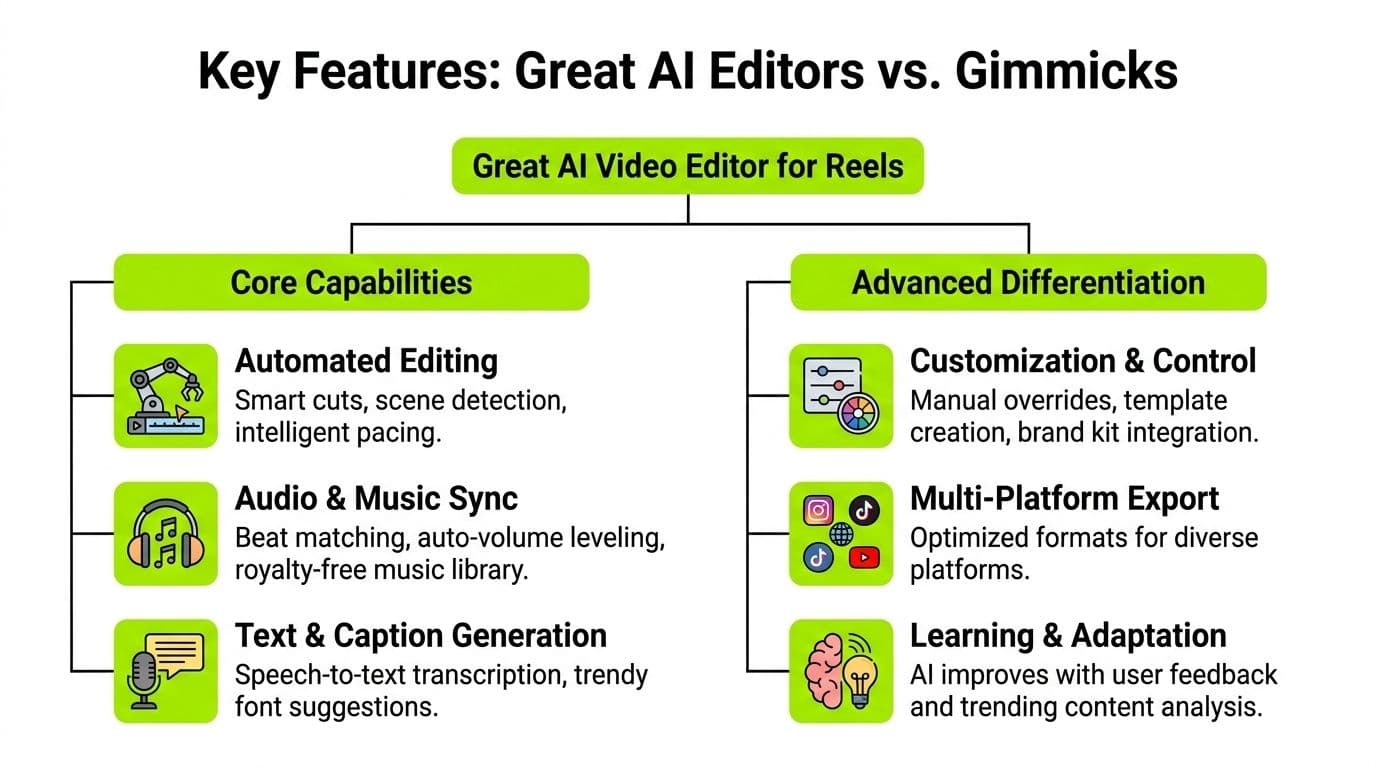
The headline feature for repurposing is smart clipping. These algorithms can detect viral moments by analyzing signals such as swipe ratio and retention curve slope, then extract 15 to 30 second segments with 92% precision in identifying peak engagement windows, according to Bytecap's overview of AI video editor clipping. That's valuable for podcasters, streamers, educators, and anyone sitting on long-form footage.
Beyond clipping, the standout features tend to be:
Subtitle workflows also get more useful when you understand file handling. If you're translating content or moving captions between tools, the Translate AI guide to making an SRT file is a handy companion resource.
- Dynamic reframing: Keeps the subject properly framed when moving from horizontal source footage into vertical Reels.
- Contextual subtitles: Not just transcription, but readable subtitle styling that supports pacing.
- B-roll and visual support: Helps break up talking-head monotony without opening another app.
- Multilingual adaptation: Useful if you publish across language markets or repurpose global content.
- Manual override controls: Critical when the AI choice is technically clean but strategically weak.
A fast evaluation checklist
Use this when comparing tools:
| What to check | Why it matters |
|---|---|
| Can it identify clips from long-form content? | Saves the most time for repurposing-heavy creators |
| Can you override bad AI choices quickly? | Prevents “automation” from creating more cleanup |
| Does caption styling look native to short-form? | Generic subtitle design hurts watchability |
| Can it resize without awkward crops? | Reels live or die on mobile composition |
| Does it support fast subtitle export and edits? | You'll need this more often than you think |
For creators focused on text-heavy short-form, a quick subtitles workflow is often one of the first things to standardize.
The Viral Reel Workflow From Raw Clip to Published Post
The cleanest Reels workflow starts before you touch the timeline. If the raw footage is disorganized, the AI won't save you. If the source is clear, the tool can do most of the heavy lifting quickly.
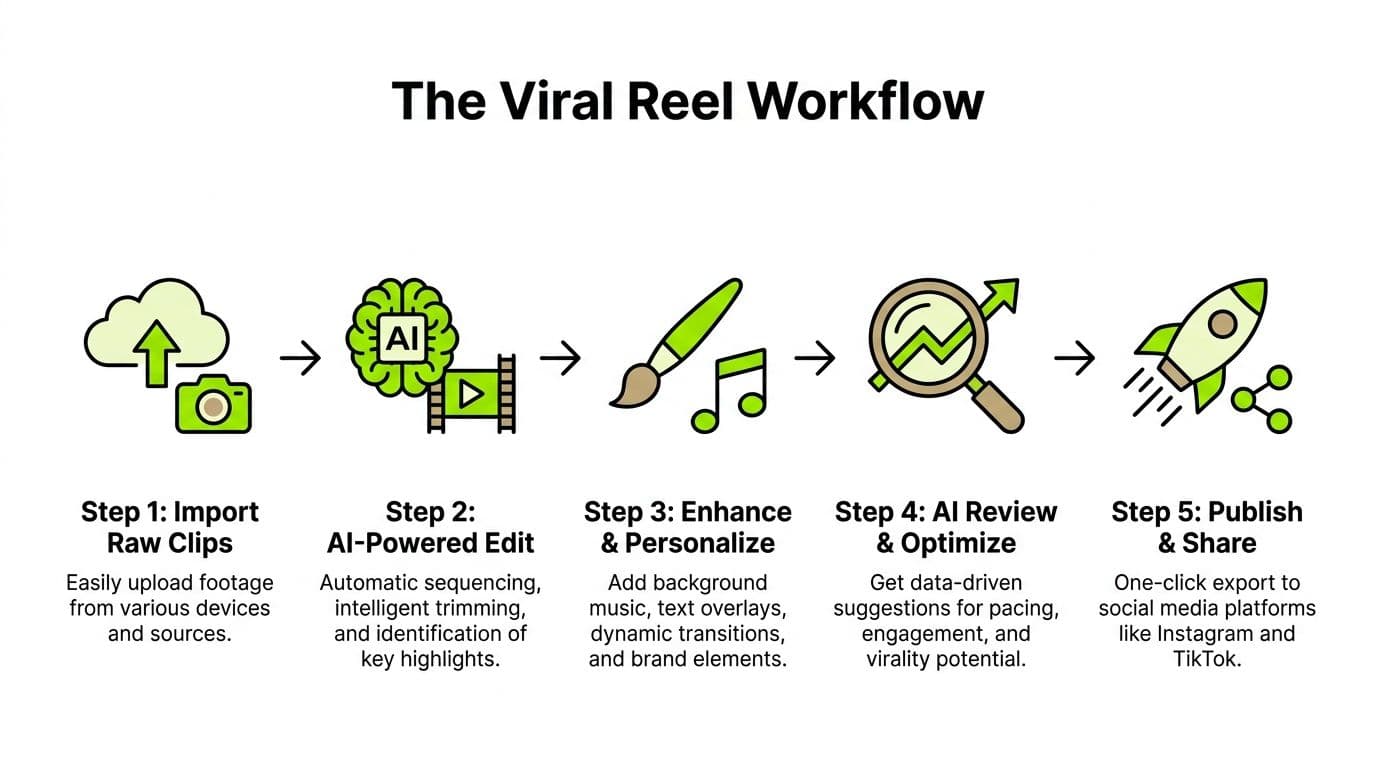
A useful way to run this is as a four-stage system. The idea isn't to hand everything to automation. It's to make each pass narrow and fast.
Here's the workflow at a glance:
Stage one through stage four
Stage one is ingest and analysis. Upload the source clip, or bring in a longer video if you're repurposing. Let the AI detect cuts, spoken sections, pauses, and candidate moments. Don't start fine-editing yet.
Stage two is refine and enhance. Review the AI's first pass. Tighten the opening line, remove weak setup, clean the captions, and make sure the first seconds earn attention. Many Reels either become sharp or stay forgettable depending on these steps.
Stage three is style and brand. Add your recurring subtitle style, color choices, text overlays, music bed, and any B-roll support. Keep this consistent enough that viewers can recognize your content, but flexible enough that every Reel doesn't feel templated.
A helpful companion for cross-platform short-form thinking is this guide on how to make viral YouTube Shorts. The packaging principles transfer well, even though the platform behavior isn't identical.
After those first three stages, it helps to watch the full cut once without touching anything. You'll notice pacing issues faster when you're not editing live.
Stage four is polish and export. Check subtitle spacing, verify that the main subject stays centered in vertical crop, and confirm that your final frame doesn't cut off the CTA or key text.
Export settings that hold up after compression
Instagram compression is unforgiving. If you export carelessly, the Reel can look softer and noisier than it did in your editor.
Use these settings because they're specifically aligned to how Reels holds up after upload, based on Frameo's Reels export guidance:
If your Reel looks crisp before export and muddy after posting, the problem is often the export settings, not the edit.
- Resolution: 1080 × 1920
- Bitrate for standard footage: 6 to 8 Mbps
- Bitrate for AI-generated visuals: 10+ Mbps
- Format: MP4 (H.264)
- Frame rate: 24 or 30 fps
Common Pitfalls and How to Avoid Them
The most common mistake with AI editing is trusting the first output too much. The cut looks competent, the captions are there, the timing is acceptable, so the creator posts it. Then the Reel underperforms and they assume the topic was weak.
Often, the topic wasn't the issue. The hook was.
What are the common questions?
Can an AI video editor for Reels replace a human editor?
Not fully. It can remove a lot of manual labor, especially clipping, subtitles, resizing, cleanup, and first-pass pacing. Human judgment still matters most for hooks, storytelling, humor, taste, and positioning.
Does Instagram punish AI-edited Reels?
There's no verified data here showing Instagram automatically suppresses content just because AI helped make it. What matters more is whether the Reel holds attention, looks clean after upload, and gives viewers a reason to keep watching.
Are free AI editors enough?
They can be enough for testing workflows, learning what tasks you want automated, and publishing simpler content. Paid tools usually give you more control, cleaner exports, broader automation, and a smoother production system.
What's the biggest mistake creators make with AI editing?
They confuse speed with strategy. Fast output is useful, but if the opening doesn't create curiosity or the clip doesn't deliver a clear payoff, the Reel still won't travel.
What should I automate first?
Start with the most repetitive work: subtitle generation, silence removal, vertical resizing, and rough clipping. Those tasks save time without handing over your creative judgment.
What is the short answer for AI Video Editor for Reels: Create Viral Content Fast in 2026?
Ditch manual editing! Use an AI video editor for Reels to create viral content faster. Explore features, workflow, & best practices for 2026.
Action checklist
Apply this to your channel today.
- 1Frame rate: 24 or 30 fps
- 2Let AI choose candidates
- 3Let humans choose the hook
- 4Let AI format the package
- 5Let humans decide the promise