Kapwing alternative
Kapwing alternative for YouTube creators
Kapwing is a strong browser platform for editing, AI video, captions, translation, clips, and team review. Satura is the alternative for YouTube creators who need the edit connected to thumbnails, metadata, CTR, retention, revenue, and channel growth.
Fact-checked against official Kapwing product and help pages on August 3, 2026.
Direct answer
Is Satura a real Kapwing alternative?
Yes, when the primary output is YouTube. Both products can generate, edit, caption, clip, and export video in a browser, so the useful distinction begins around collaboration and after export.
Kapwing is broader across marketing, training, multilingual, template, and stakeholder-review use cases. Satura is narrower around creator production, thumbnails, upload packaging, CTR, retention, revenue planning, TrustScore, and channel learning.
Kapwing vs Satura
Compare the complete workflow, not one feature
Kapwing and Satura overlap more than a simple checklist suggests. The decision is whether broad, collaborative video production or YouTube-specific packaging and performance diagnosis should define the workspace.
| Decision | Kapwing | Satura | What it means |
|---|---|---|---|
| Best first use | Create, edit, subtitle, translate, repurpose, review, and export marketing, training, social, and creator videos in a shared browser workspace. | Run a YouTube workflow that connects AI assets and editing to thumbnails, metadata, CTR, retention, revenue, and channel diagnostics. | Choose Kapwing for broad collaborative production. Choose Satura when YouTube production and performance must form one operating loop. |
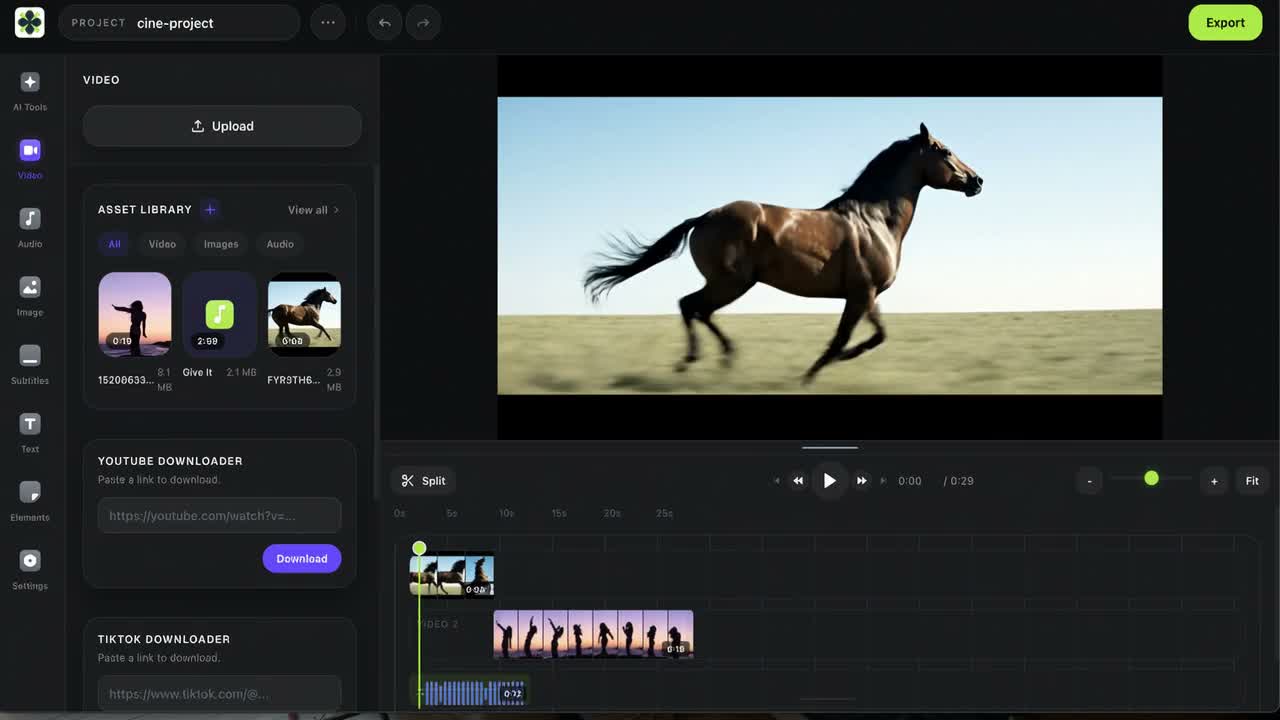
| Editing model | Combines a drag-and-drop timeline with transcript editing, Smart Cut, effects, B-roll, background tools, stock media, templates, and AI-assisted edits. | Combines a multi-track browser timeline with generated media, captions, voiceovers, effects, format changes, and clean exports. | Both support capable browser editing. Test the same source for correction time, timeline control, export quality, and project handoff. |
| AI creation | Offers video and image generation, scripts, personas, voices, dubbing, lip sync, eye-contact correction, B-roll, and multiple AI models. | Generates video and image assets and carries them into editing, voiceover, thumbnail, clipping, and YouTube workflow tools. | Kapwing documents the broader general-purpose AI and localization suite. Satura is tighter when generated assets feed a YouTube-specific workflow. |
| Captions and translation | Provides automatic subtitles, editable styles, transcripts, translation, dubbing, and lip sync, with usage allowances that vary by plan. | Provides Quick Subtitles, word-timed caption styles, transcription, and voiceovers inside long-form and Shorts workflows. | Choose Kapwing when multilingual production is central. Compare transcript accuracy, correction time, styles, and total allowance on real footage. |
| Long video to clips | Repurpose suggests moments, accepts topic prompts, creates vertical clips with titles and subtitles, and sends clips into Studio for editing. | AutoClip finds reviewable moments and connects them to Shorts editing, captions, thumbnails, packaging, and channel diagnostics. | Kapwing is strong for cross-platform repurposing. Satura fits YouTube teams that want clip review tied to the wider channel system. |
| Collaboration | Offers shared workspaces, simultaneous editing, time-stamped comments, review links, shared media, Brand Kit, and reusable team styles. | Organizes creator production around AI credits, export minutes, connected channels, and a Pro tier for larger channel portfolios. | Kapwing has the clearer general team-review workflow. Satura is organized around creator and multi-channel YouTube operations. |
| YouTube packaging | Creates YouTube-ready videos and Shorts with templates, subtitles, thumbnails, resizing, stock assets, effects, and export tools. | Adds dedicated title, description, tag, hashtag, chapter, thumbnail, CTR, RPM, and channel-health tools around the video asset. | Choose Satura when the title-thumbnail promise and upload metadata belong in the same workflow as the edit. |
| Performance feedback | Its public product pages center on creating, editing, localizing, collaborating on, repurposing, and exporting video projects. | Connects production to thumbnail analysis, CTR benchmarks, Retention Lab, TrustScore, Creative Library, and AI Growth Coach. | Satura is the tighter fit when channel performance should influence what the team makes next. |
Best fit
Choose the platform around the primary output
Choose Kapwing when
- Marketing, training, social, and creator video all share the same browser workspace.
- Real-time editing, comments, review links, shared assets, and Brand Kit are central to delivery.
- Multilingual subtitles, translation, dubbing, lip sync, or reusable AI personas matter.
- You already have separate YouTube research, thumbnail, analytics, and channel strategy tools.
Choose Satura when
- YouTube uploads and Shorts are the primary output rather than one of many content formats.
- AI assets, editing, captions, voiceovers, AutoClip, thumbnails, and metadata should share one workflow.
- CTR, retention, TrustScore, revenue planning, and channel diagnostics should inform the next upload.
- Connected-channel operations matter more than general-purpose stakeholder review.
Pricing context
Compare total workflow cost, not entry price
Plan names, allowances, AI models, credits, and checkout pricing can change. Use one representative month and include usable outputs, correction time, members, exports, and separate creator tools.
| Product | Free access | Paid access | Cost check |
|---|---|---|---|
| Kapwing | Kapwing lists a $0 plan with 10 credits, watermarked exports up to one minute, and 720p output. The pricing table currently lists 30 export minutes per month. | Kapwing Pro is $16 per member per month billed annually or $24 billed monthly. Business is $50 per member per month billed annually or $64 billed monthly. | Plans differ by credits, AI feature allowances, subtitles, translation, dubbing, storage, export length, and seats. Kapwing's public pages are updated independently, so verify the pricing table and checkout for the exact workspace. |
| Satura | Free account with browser editing and limited exports; no credit card is required to start. | Starter is $29/month, with an annual equivalent from $17/month. | Paid plans bundle AI credits, export minutes, connected YouTube channels, and the wider production and growth toolset. |
Where Kapwing is strong
Do not replace capabilities the team needs
Kapwing has meaningful strengths. Keep it when those strengths own the primary workflow, or test a two-tool setup when the handoff is genuinely efficient.
Browser timeline and transcript editing with trimming, splitting, transitions, B-roll, effects, audio cleanup, background removal, stock assets, and templates
AI video, image, script, voice, persona, dubbing, lip-sync, eye-contact, subtitle, and automated editing tools inside the same Studio
Automatic subtitles, translation, dubbing, and lip sync for multilingual production, with allowances that vary by plan
Long-video repurposing with suggested moments, topic prompts, aspect-ratio controls, subtitles, transcript trimming, and Studio editing
Shared workspaces, simultaneous editing, time-stamped comments, review links, shared assets, Brand Kit, and reusable team styles
Verify before choosing a plan or migrating
- The current pricing page lists watermarked one-minute 720p exports on Free; paid plans remove the watermark and raise export, storage, and quality limits.
- Generative AI, subtitles, translation, dubbing, and text-to-speech draw from plan-specific credits or minute allowances, so compare usable completed outputs.
- Pro and Business prices are per member, which matters when comparing a shared editing workspace with a creator-focused account.
- Kapwing covers broad video production and collaboration; verify whether the team still needs separate YouTube thumbnail, CTR, retention, RPM, and channel-health tools.
YouTube workflow
What Satura adds around the editor
Kapwing is already a capable editor. Satura's defensible difference is connecting the production asset to YouTube packaging, diagnostics, and repeatable creator decisions.
YouTube Video Editor
Edit long-form videos and Shorts in a browser workflow built around YouTube delivery.
AI Video Generator
Generate video scenes and visual starting points from prompts or source images.
Quick Subtitles
Generate and style word-timed captions for long videos and Shorts.
AutoClip
Find reviewable short-form moments inside longer creator videos.
AI Thumbnails
Create thumbnail concepts around the title promise and viewer intent.
TrustScore
Diagnose channel health and prioritize the next creator workflow improvement.
Switching test
Move one workflow before moving the whole team
Inventory the Kapwing workflow
List source files, projects, subtitles, voices, templates, brand assets, generated media, comments, collaborators, and publishing steps.
Rebuild one representative video
Use original media and a normal project. Compare edit time, captions, AI usage, export quality, thumbnail work, and team review.
Measure the complete YouTube loop
Include packaging, CTR review, retention diagnosis, channel insights, and the next-video decision rather than stopping at export.
Official sources
Verify Kapwing features and pricing before switching
Kapwing alternative FAQ
Questions creators ask before switching
What is the best Kapwing alternative for YouTube creators?
Satura is a strong Kapwing alternative when the workflow must continue from video creation and editing into YouTube thumbnails, metadata, CTR, retention, revenue planning, TrustScore, and channel growth. Kapwing remains a strong choice for broad browser editing, multilingual production, templates, shared workspaces, and team review.
Is Satura better than Kapwing?
It depends on the job. Kapwing has a broad browser platform with timeline and transcript editing, AI generation, subtitles, translation, repurposing, templates, and collaboration. Satura is the tighter fit for YouTube teams that want creation, editing, packaging, performance diagnosis, and the next content decision connected.
Is Satura a free Kapwing alternative?
Satura has a free account and browser editor with limited exports. Kapwing also has a free plan; its current pricing page lists watermarked exports up to one minute at 720p. Compare watermark, export length, quality, AI credits, subtitle minutes, storage, and project-retention requirements before choosing.
How do Kapwing and Satura pricing compare?
Kapwing Pro is currently $16 per member per month billed annually or $24 billed monthly. Satura Starter is $29 per month, with an annual equivalent from $17 per month. The totals are not directly comparable: include seats, AI credits, usable generations, exports, subtitles, translation, connected channels, thumbnails, analytics, and separate tools.
Is Kapwing better for team collaboration?
Kapwing is often the better fit when simultaneous browser editing, time-stamped comments, review links, shared assets, Brand Kit, and reusable team styles define the job. Satura is organized around YouTube creator production, connected channels, packaging, and performance diagnosis rather than a general stakeholder-review workflow.
Can Kapwing turn long videos into YouTube Shorts?
Yes. Kapwing's Repurpose workflow suggests moments, accepts topic prompts, creates vertical clips with subtitles and titles, and opens them in Studio for further editing. Satura AutoClip also finds reviewable moments, then connects them to Shorts editing, thumbnails, packaging, CTR, retention, and channel diagnostics.
Can I move a Kapwing project directly into Satura?
Do not assume proprietary project structure, AI personas, voices, templates, generated media, Brand Kit settings, comments, or collaborator access will transfer. Keep original video, audio, image, subtitle, and brand files, export reusable assets, and rebuild one representative project before moving the team's workflow.
Related comparisons
Compare adjacent video workflows
Simplified alternative
Compare prompt-led video, scripts, captions, repurposing, campaigns, social tools, and YouTube fit.
Read comparisonVEED alternative
Compare another broad browser editor across AI video, captions, translation, clips, teams, and YouTube fit.
Read comparisonCapCut alternative
Compare cross-platform social editing with Satura's browser-based YouTube operating loop.
Read comparisonDescript alternative
Compare transcript-first editing, podcasts, audio cleanup, captions, clips, and YouTube workflows.
Read comparisonPictory alternative
Compare script, document, URL, presentation, stock, and transcript-led video creation.
Read comparisonTry the alternative
Run one real YouTube project through Satura
Start with the browser editor, then include captions, thumbnails, CTR, retention, channel diagnosis, and the next content decision in the evaluation.