What is the quick answer?
Learn why default auto generated captions can hurt your views. This guide shows creators how to edit and fix them for better accessibility, SEO, and watch time.
Key takeaways
- Your Auto Captions Are Probably Hurting You
- Bad captions create friction fast
- Captions are a growth tool, not a checkbox
- How a Robot Tries to Understand Your Voice
- ASR is fast, not wise
- Formatting breaks meaning
Overview
Most advice on captions is wrong in the same way: it treats auto generated captions like a finished feature instead of what they really are, which is a rough machine draft. Turning them on is better than having nothing. Stopping there is where creators lose viewers, confuse search systems, and create accessibility problems they don't even realize they've published.
That matters because captions aren't just for one slice of your audience. More than 100 empirical studies have documented that captioning improves comprehension, attention, and memory retention across viewer groups, including highly literate hearing adults, while also being especially important for non-native speakers, children learning to read, and Deaf or hard-of-hearing viewers, according to this research review on captioning and learning. So yes, captions help accessibility. They also help ordinary people understand your video faster on a phone, in a noisy room, or with the sound low.
A lot of creators blame weak retention on topic, editing, or thumbnails when the viewer experience is breaking lower in the stack. If the spoken line says one thing and the caption says another, trust drops immediately. If you're troubleshooting broader performance issues, it's worth pairing caption cleanup with a more complete look at why YouTube videos are not getting views.
If you want a useful companion resource before fixing the workflow itself, this guide for YouTube creators on transcription gives solid context on how transcription fits into video publishing. The key shift is simple: treat captions as part of the content, not post-production wallpaper.
Your Auto Captions Are Probably Hurting You
Creators love the phrase “good enough” right up until “good enough” is what a viewer remembers. Raw auto generated captions often look harmless because they appear synced, readable at a glance, and technically present. But captions can be present and still be damaging.
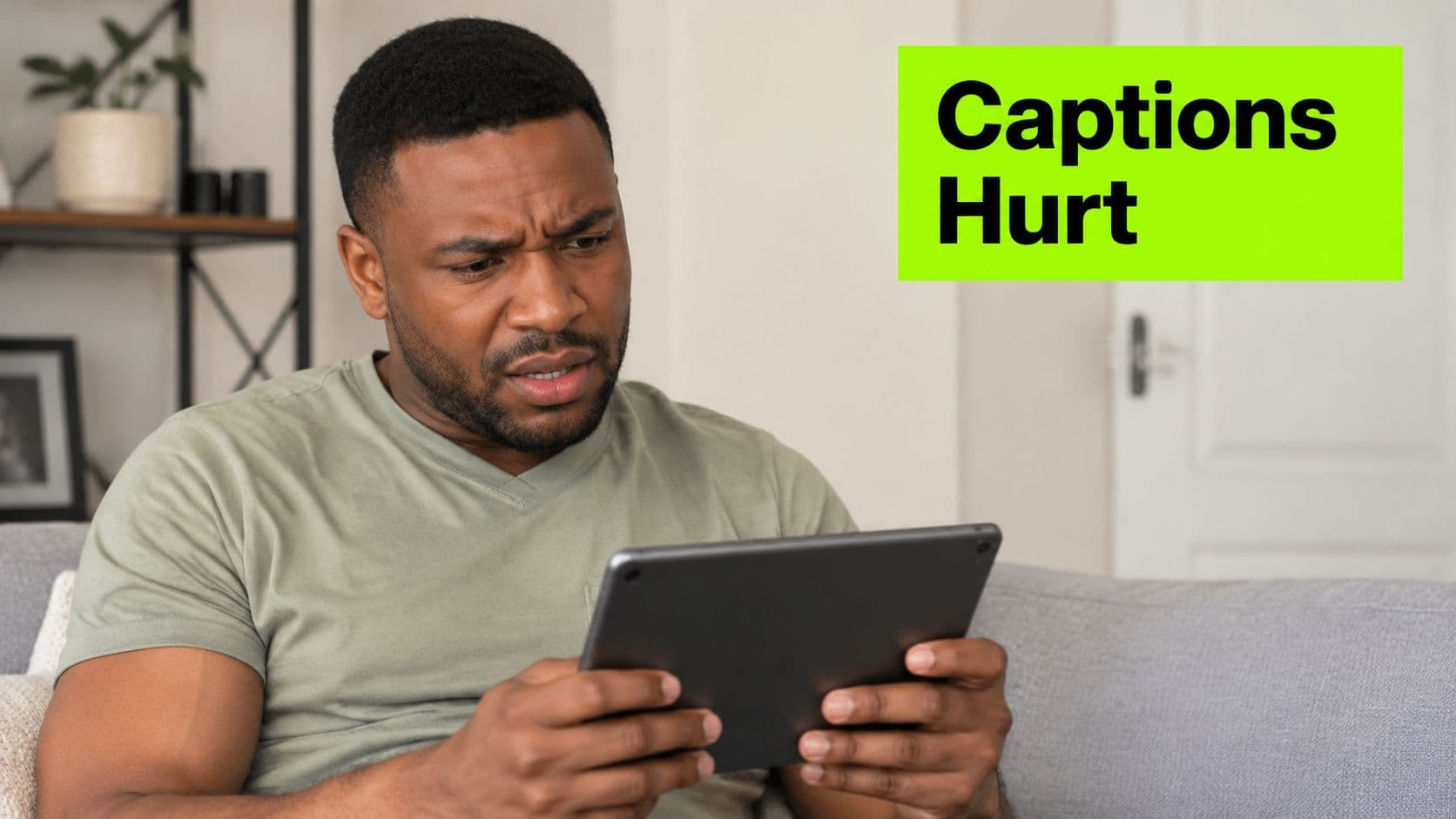
When captions are wrong, they do two bad jobs at once. They fail the viewer who needs accurate text, and they distract the viewer who was only using captions as a support layer. That second group is larger than many creators assume. Plenty of people watch on mute for the first few seconds, skim while commuting, or use subtitles because your pacing, accent, music bed, or room echo makes speech harder to parse.
Bad captions create friction fast
A weak thumbnail gives you fewer clicks. Bad captions hurt after the click, which is often worse.
Common damage looks like this:
Practical rule: If captions make the video harder to follow than audio alone, they're not helping. They're increasing cognitive load.
- Misheard product names: Your brand term turns into a common word, so the viewer loses clarity.
- No punctuation: Fast speech becomes a wall of text that feels harder than listening.
- Broken timing: The caption lands late, so the joke, hook, or explanation loses impact.
- Missing context: A dramatic pause, laughter, or important sound cue never appears in text.
Captions are a growth tool, not a checkbox
Top creators don't think of captions as a compliance task they finish at the end. They use them to improve retention, make intros easier to follow, and reduce drop-off during dense explanations.
That's why the “set it and forget it” habit is so expensive. Raw captions might technically exist, but they often don't support the actual job. The primary job is helping more people understand your video without friction.
How a Robot Tries to Understand Your Voice
Auto generated captions start with a machine listening to audio and making guesses at speed. That machine is impressive. It is not thoughtful.
If you want a creator-friendly breakdown alongside this one, understanding auto captions for content creators is a useful outside read. And if your workflow already starts with extracting spoken content, a dedicated video transcription tool makes the first pass easier to inspect and edit.
ASR is fast, not wise
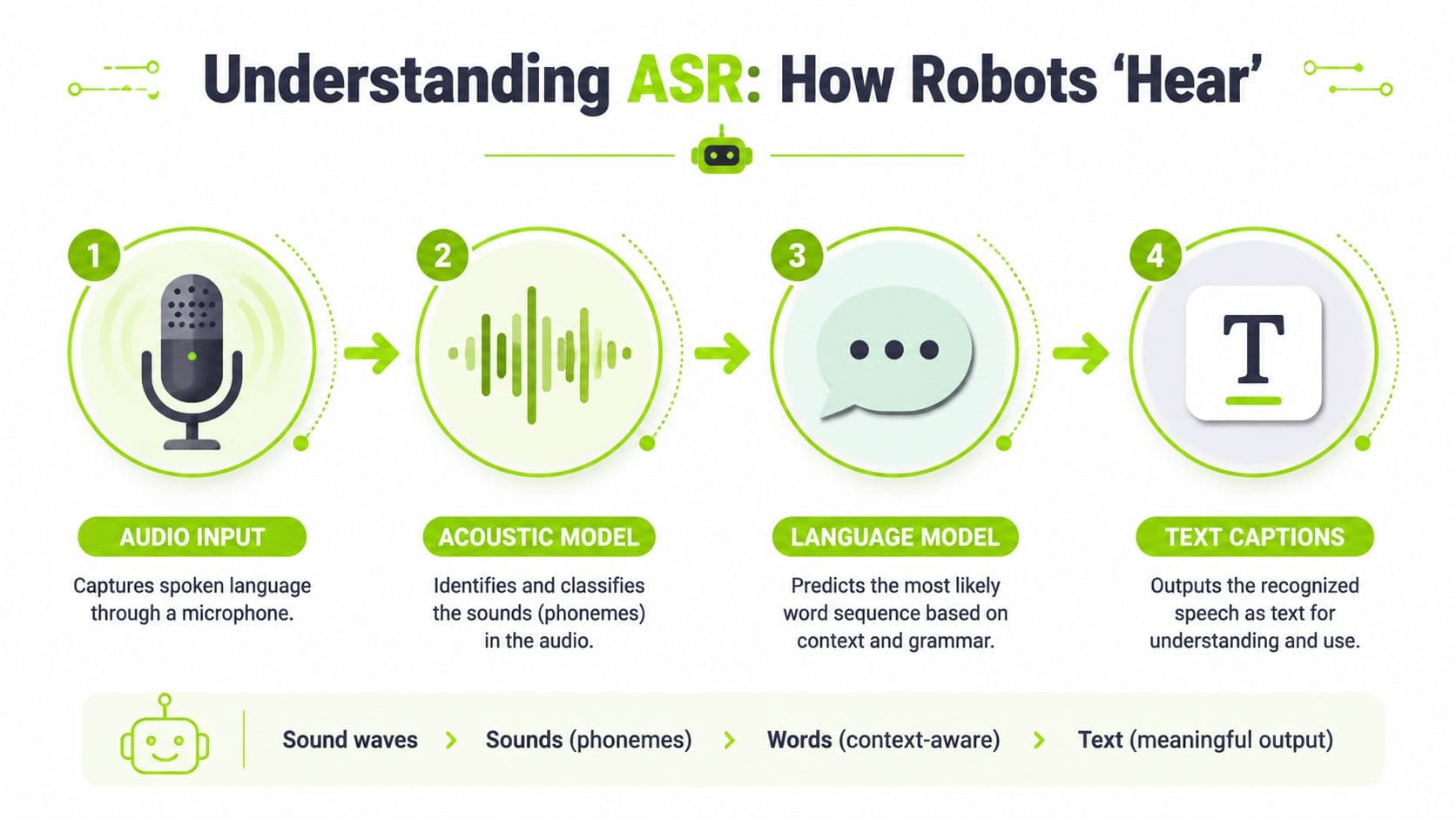
The core system is Automatic Speech Recognition, usually shortened to ASR. This system operates like a stenographer who types at impossible speed but lacks strong context, grammar, and instinct for your niche terms. It hears sound patterns, matches them to likely phonetic units, predicts probable words, then places those words on a timeline.
That process usually looks like this:
Machines do this quickly because they're pattern matchers. They are not listening the way a human editor listens. They don't know when your guest used sarcasm, when your acronym is brand-specific, or when a pause should become a period.
- Audio comes in. The system receives speech mixed with room tone, music, breaths, and everything else in the file.
- Sound gets mapped. The engine identifies likely speech sounds.
- Words get predicted. A language model tries to decide which word sequence is most plausible.
- Captions get formatted. The system adds timestamps and attempts readable breaks.
Formatting breaks meaning
A lot of creators focus only on whether the words are right. That's half the story. The formatting layer breaks plenty on its own.
The technical architecture of machine-generated captions integrates ASR for transcription and AI for formatting, yet this introduces a Formatting Error Rate of 72-84% accuracy. That means punctuation, line breaks, and speaker identification are often wrong, and non-speech elements such as sound effects are ignored, creating a semantic gap that can hurt retention.
Even when the words are mostly correct, bad formatting can still make a sentence feel confusing, rushed, or flat.
That's why raw captions often feel weird even when they look close enough. The robot heard something. It didn't fully understand the viewing experience.
The Most Common Caption Fails and Why They Happen
The biggest mistake beginners make is assuming bad captions are random. They usually aren't. They fail in predictable ways.
Under ideal conditions, AI engines can reach up to 98% accuracy, but standard YouTube auto-captions are reported at only 60-70% accuracy, according to Interprefy's breakdown of automatic caption accuracy. That gap tells you almost everything you need to know. Lab conditions are not real creator conditions.
Why platform captions fall apart
A caption engine struggles when your video includes any of the things normal videos usually include:
Say “retention curve” with a loud music bed under it and the system might decide you said something closer to an everyday phrase. Say a tool name, product acronym, or creator brand that isn't in the engine's learned vocabulary, and it may output nonsense with total confidence.
- Background noise: Music, fans, keyboards, street noise, or room echo muddy the speech signal.
- Cross-talk: Two people talking over each other causes the engine to guess instead of transcribe.
- Accents and dialects: The model may not handle regional pronunciation cleanly.
- Jargon and brand names: Specialized terms get replaced with more common words that sound similar.
- Fast pacing: Short-form creators often speak quickly, compressing syllables and reducing clarity.
The errors creators miss first
Some mistakes are obvious. Others subtly damage understanding.
A few of the most common:
If your content includes tutorials, commentary, or education, jargon errors are more damaging than they look because they often hit the exact words viewers came to learn.
This is why serious creators don't trust the default pass. The machine isn't failing because your content is unusual. It's failing because human speech is messy, and platforms optimize for scale and speed.
- Homophones: “wait” becomes “weight,” “site” becomes “sight,” “sale” becomes “sail.”
- Improper nouns: Person names, channel names, and software names get flattened into generic language.
- Run-on captions: Without proper punctuation, separate thoughts merge into one long statement.
- Missed non-speech cues: Laughter, applause, or a sudden sound that matters to the scene never gets represented.
Auto Captions on YouTube TikTok and Instagram
Each platform handles captions differently, and the smart move is adjusting your workflow instead of expecting one export to do every job well.
YouTube is the most forgiving place to fix depth and accuracy because longer videos benefit from cleaner transcripts and more careful editing. TikTok and Instagram Reels are more visual. There, captions often become part of the creative itself, not just an accessibility layer. Placement, style, pacing, and emphasis matter more because the text is often burned into the frame and competing with the visuals.
If you repurpose one vertical video across platforms, it helps to think through how to post YouTube Shorts with platform-specific presentation in mind, especially if you want captions to support the hook instead of crowding it.
Where each platform helps and hurts
On YouTube, caption editing is most valuable for long-form education, interviews, explainers, and repurposed podcasts. Viewers use captions as a support rail while they listen. Small wording errors can confuse technical sections or search visibility around named topics.
On TikTok, many creators rely on stylized on-screen text instead of native caption layers alone. The upside is control over emphasis and timing. The downside is that style can overpower readability fast, especially when creators animate every phrase.
On Instagram Reels, the native experience tends to reward clean presentation and quick comprehension. If the subtitles sit too low, clash with UI elements, or change too aggressively, they can distract from the content.
What are the common questions?
What is the short answer for Auto Generated Captions: A Creator's Guide to Fixing Them?
Learn why default auto generated captions can hurt your views. This guide shows creators how to edit and fix them for better accessibility, SEO, and watch time.
What should creators do first?
Add missing context. If sound matters to meaning, include cues like music changes, laughter, or other relevant audio moments.
Who is this guide for?
This guide is for YouTube creators, faceless channel operators, agencies, and teams using AI tools to improve video production and growth.
Action checklist
Apply this to your channel today.
- 1Add missing context. If sound matters to meaning, include cues like music changes, laughter, or other relevant audio moments.
- 2Watch on mobile: Make sure subtitle placement doesn't clash with UI or cover key visuals.
- 3Listen for jargon: Product names, technical terms, and people's names deserve a second pass.
- 4Check pacing: If the subtitle changes too late, the viewer will feel it even if they can't describe the problem.
- 5Review context cues: Add only the sounds that matter to understanding, not every minor noise.
Sources & methodology
- Satura editorial guide based on the source video, topic cluster, and article sections.
- Source video reviewed for this article: https://www.outrank.so/