What is the quick answer?
Learn how to plan, film, edit, and promote a viral Halloween music video. This guide covers AI tools, spooky effects, and growth strategies for creators.
Key takeaways
- Find Your Haunting Concept and Song
- Start with vibe, not genre labels
- Build a story you can actually shoot
- Use references without copying
- Master Spooky Cinematography on a Budget
- Light for fear, not for brightness
Overview
You've probably got the same tab lineup open that most creators do when Halloween season hits. A notes doc with half a concept, a beat you might use, a folder full of random spooky clips, and a growing suspicion that if you don't move fast, the whole thing will miss the moment.
That's the main challenge with a Halloween music video. It isn't just making something creepy. It's building something sharp enough to grab attention, fast enough to publish while the topic is hot, and polished enough to keep people watching once they click. The creators who win this window aren't always the ones with the biggest budgets. They're the ones with the cleanest workflow.
A strong Halloween music video lives at the intersection of mood, pacing, and packaging. If the song sets the right tone, the visuals support the beat, and the thumbnail sells the promise, you're in business. If one piece breaks, the whole thing feels cheap.
Find Your Haunting Concept and Song
The fastest way to ruin a Halloween music video is choosing the song like you're picking from a costume rack. Don't start with “Is this technically a Halloween song?” Start with vibe.
Halloween music is often defined by what people play around the holiday, not just by lyrics about ghosts or pumpkins, as noted by The Current's look at what counts as Halloween music. That's why tracks with tension, dread, camp, or a sinister groove can work better than something overly literal.
Start with vibe, not genre labels
Pick your track by asking three questions:
You need instant mood. Slow intros can work, but only if they drip with tension.
If you can already imagine cuts, reveals, flickers, or movement, that's a good sign.
The best song is the one that leads to a shootable idea.
If you need to generate something original instead of digging through stock libraries forever, Vocuno's AI song creator is useful for mocking up eerie concepts and testing whether a hook feels playful, cinematic, or full-on horror before you commit.
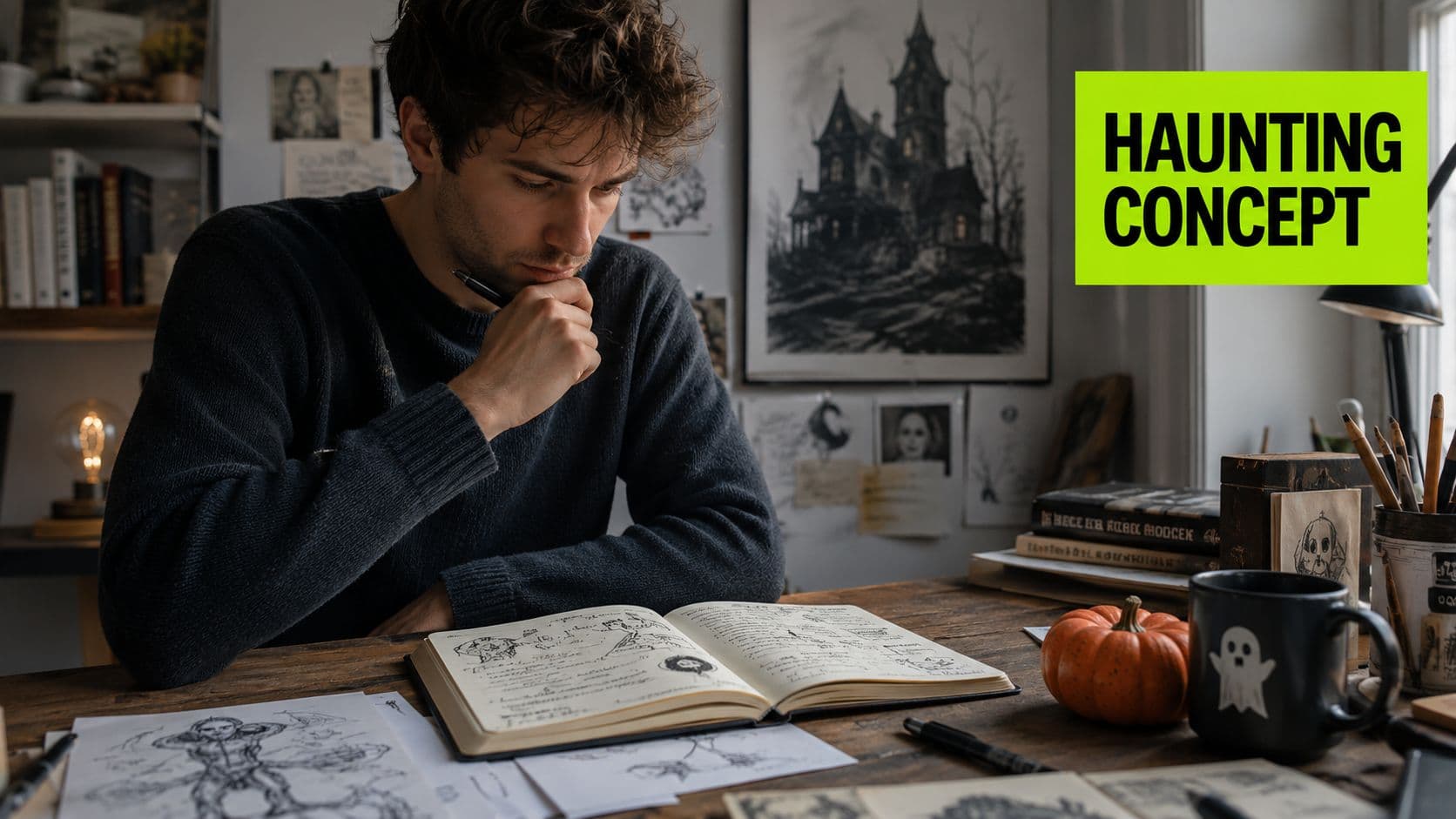
One classic benchmark still matters. “Monster Mash” by Bobby Pickett was released in 1962 and reached the top of the Billboard Hot 100, which helped establish Halloween music as a commercially viable genre, according to this overview of iconic Halloween songs. That track worked because the concept, performance, and sound all matched the novelty without feeling random.
Practical rule: If the song says “campy fun” and your visuals say “serious occult horror,” the video will feel split in half.
- Does it create an atmosphere in the first few seconds?
- Does the beat suggest visuals?
- Can you finish a concept around it this week?
Build a story you can actually shoot
You don't need a complicated narrative. You need a clear visual engine. For most creators, a simple 3-act structure is enough.
Use a found-footage ghost story as an example:
| Act | What happens | What you shoot |
|---|---|---|
| Act 1 | Setup | Character enters an empty space, hears something odd, camera lingers too long |
| Act 2 | Escalation | Strange shadows, missing objects, distorted reflections, tighter cuts |
| Act 3 | Payoff | Full reveal, chase, possession, or abrupt disappearance |
Storyboarding doesn't need to look pretty. It needs to answer basic production questions fast:
A rough grid in a notebook is enough. Six to ten boxes can save an entire shoot day.
Expert consensus dictates that success requires a harmonious blend where audio levels are adjusted to match visual pacing, utilizing lighting, camera angles, and sound effects to establish a spine-tingling atmosphere that keeps viewers on the edge of their seats.
That guidance from Artyfile's breakdown of Halloween video music choices is dead-on. Good horror pacing isn't just editing. It starts in pre-production. If you know where the music breathes, spikes, or drops out, you can plan visuals that hit harder.
- What's the opening image that sets tone immediately?
- Where does the first visual surprise land in the song?
- What's your climax shot?
- What can you cut if you run out of time?
Use references without copying
Reference hunting is where a lot of creators lose momentum. They save twenty mood boards and still don't know what they're making. Pull only what helps you decide faster:
If you're still blanking on what angle the niche needs, a quick pass through a content gap analysis workflow can help you spot what similar creators are missing. That's usually where the best Halloween concepts come from. Not from copying the obvious graveyard setup, but from finding the version no one else bothered to execute well.
- A color reference for lighting and wardrobe
- A camera reference for movement style
- A structure reference for how tension escalates
Master Spooky Cinematography on a Budget
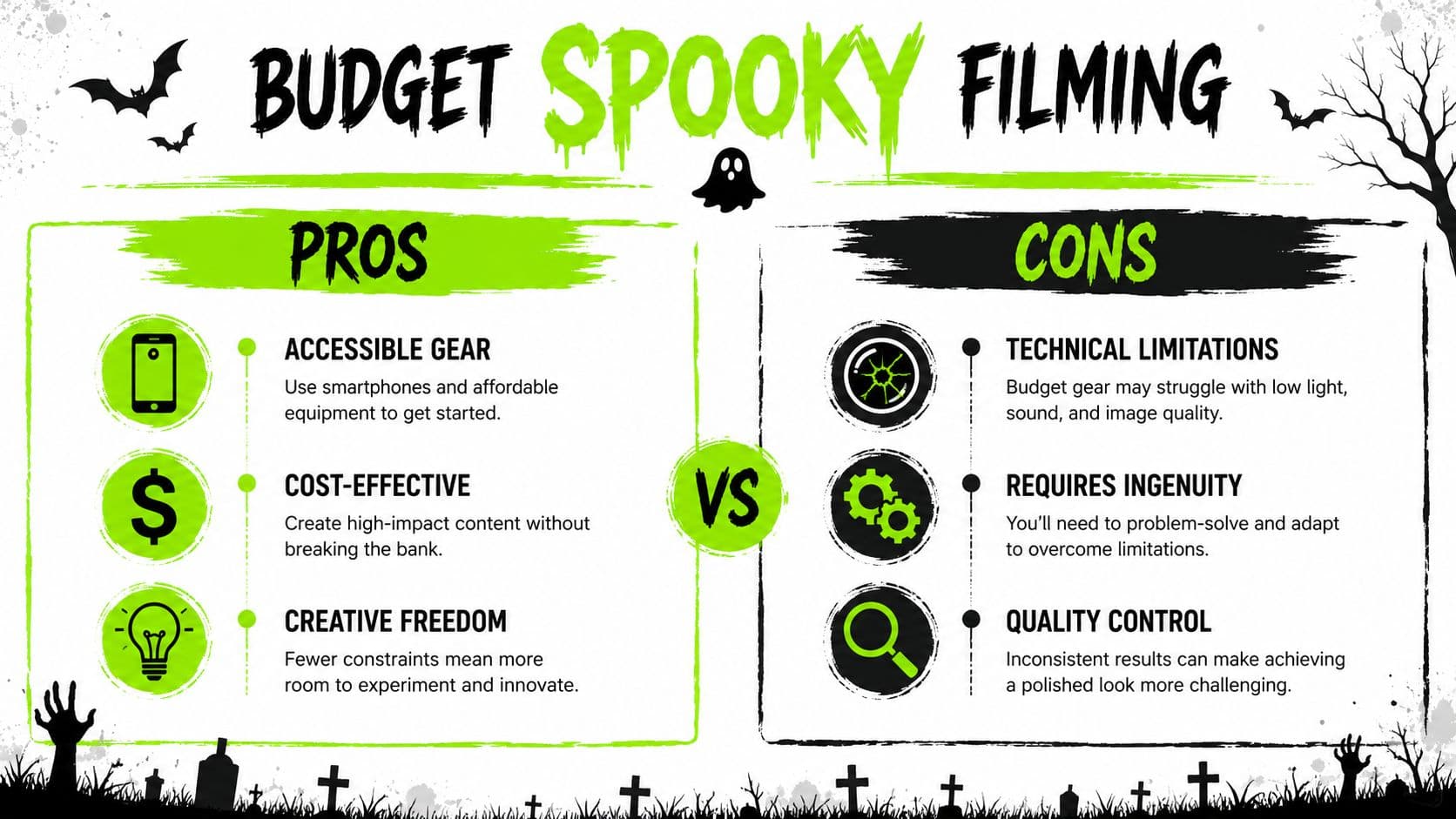
Expensive gear doesn't make footage scary. Control does. If you can control light, motion, and framing, you can shoot a Halloween music video on a phone and still get something cinematic.
The mistake most creators make is lighting everything too evenly. Horror wants shape. It wants pockets of darkness and selective detail.
Light for fear, not for brightness
Artlist's spooky video tips recommend dim lighting with eerie sources like candles, plus a dark palette built around orange, black, and purple. That's a practical shooting note, not just a style choice. Those colors unify the frame and stop your set from looking like random household clutter.
Here's the smart way to think about lighting:
| Setup | Budget option | Upgraded option | Why it works |
|---|---|---|---|
| Key light | Desk lamp through thin fabric | Softbox with dim control | Gives the face shape and hides weak background details |
| Practical light | LED candle, lamp, string lights | RGB tube or programmable light | Adds motivated glow inside the shot |
| Atmosphere | Steam from a humid room or safe haze solution | Fog machine | Makes light beams visible and adds depth |
Keep one side of the face darker than the other. Let backgrounds fall off. If the viewer can see everything clearly, suspense drops.
Move the camera with intent
Camera movement should change how the viewer feels. That's the standard.
A slow push-in builds dread because the frame tightens without calling attention to itself. Shaky-cam works when the scene is chaotic. Random movement, though, just looks amateur.
Try this split:
Hold your elbows tight, bend your knees, and creep forward slowly for a handheld push-in. Short focal lengths help smooth out little bumps.
Use a gimbal or slider for a cleaner drift when you want a polished supernatural feel.
Slow movement creates suspicion. Sudden movement creates alarm. Pick one emotion per shot.
If you're editing on a lean setup and want an overview of tools creators use to finish footage efficiently, this guide on what YouTubers use to edit videos is worth a look.
- Budget move
- Upgraded move
Compose shots that sell the scare
Composition is where cheap props start looking intentional.
Three shot types do a lot of work in a Halloween music video:
Even a simple mask looks more threatening when the camera sits below eye level.
Great for found-footage, stalking sequences, and moments where the audience needs to feel trapped inside the scene.
Put your subject off to one side and leave empty darkness in the rest of the frame. Viewers start scanning it for movement.
A quick shot list that punches above its budget:
The win isn't making every frame flashy. The win is making each frame feel chosen.
- Low-angle monster shots
- Point-of-view shots
- Negative-space frames
- Doorway silhouette with backlight
- Mirror shot where the reflection lags or hides something
- Close-up of a hand reaching for an object before a sound cue
- Wide hallway shot with tiny subject and deep shadow behind them
- Tilted frame for the final escalation
Edit Your Video with Frightening Speed
Post-production is where most Halloween videos either become addictive or collapse into a messy montage. The old-school approach was manual everything. Stack clips, trim every beat by hand, test transitions one by one, rebuild the timeline when the pacing drags.
That's too slow now. Modern editing is less about mechanical cutting and more about creative direction. The creator who moves fastest usually isn't the one clicking more. It's the one making fewer low-value decisions.
A browser-based workflow helps because it removes friction. You're not bouncing between five apps just to rough-cut, subtitle, pull clips, build a vertical version, and test packaging.

Let the edit chase the strongest moments
The fastest way to cut a Halloween music video is to identify your anchors first:
Build around those moments. Don't start by polishing the middle.
This matters even more if you're cutting alternate versions for Shorts. A horizontal music video might earn attention through atmosphere, but short-form teasers need impact immediately. If you're also planning vertical promos, this breakdown of video editing for YouTube Shorts can help you think in hooks instead of full-song chronology.
A smart AI-assisted workflow speeds up the ugly parts:
| Editing problem | Slow manual fix | Faster AI-assisted fix |
|---|---|---|
| Too much raw footage | Watch everything and mark selects | Use smart cutting and clip finding to surface usable moments |
| Dead air between strong shots | Ripple trim clip by clip | Let automated suggestions tighten pacing, then fine-tune |
| Need narration or creepy setup | Record multiple takes | Generate AI voiceover and place it where the visuals need context |
| Need captions for retention | Type and sync manually | Use quick subtitles, then clean up style and timing |
That's the right division of labor. Let AI handle sorting, rough structuring, and repetitive cleanup. Keep the creative calls for yourself.
Editing rule: Don't spend premium time on work a machine can do accurately enough on the first pass.
- the opening hook
- the first scare or visual switch
- the chorus or drop
- the ending image people remember
Sound design does the heavy lifting
A weak Halloween video usually isn't failing because of the footage. It's failing because the sound bed is thin.
John Carpenter's “Halloween” soundtrack is considered one of the scariest because of its use of synth pads to build an unsettling atmosphere, as explained by Berklee Online's analysis of what makes the theme so scary. That's a useful lesson for creators. Fear doesn't come only from screams, lyrics, or loud stingers. It comes from texture.
Build your audio in layers:
What are the common questions?
What is the short answer for Halloween Music Video: A Creator's Guide to Going Viral?
Learn how to plan, film, edit, and promote a viral Halloween music video. This guide covers AI tools, spooky effects, and growth strategies for creators.
What should creators do first?
Sound is captured cleanly
Who is this guide for?
This guide is for YouTube creators, faceless channel operators, agencies, and teams using AI tools to improve video production and growth.
Action checklist
Apply this to your channel today.
- 1Sound is captured cleanly
- 2Pacing is tight
- 3Sound design has layers
- 4Captions and alternate clips are ready
- 5Title and thumbnail work together
Sources & methodology
- Satura editorial guide based on the source video, topic cluster, and article sections.
- Source video reviewed for this article: https://www.outrank.so/