What is the quick answer?
Learn how to improve retention on YouTube and short-form video with a step-by-step playbook covering hooks, pacing, analytics, and creator-tested workflows.
Key takeaways
- Why Your Retention Graph Keeps Flatlining
- The drop-off usually starts before your edit gets a chance
- Diagnose the leak before you touch the timeline
- Designing Hooks That Hold Attention Past 5 Seconds
- Build hooks from promise, tension, and payoff preview
- Don't start with context unless the audience already wants it
Overview
You can usually spot the problem before the analytics confirm it. The video had a decent topic, the thumbnail looked clean, and the edit didn't feel broken, yet the retention graph still drops like a stone in the first few seconds and never really recovers. That's the frustrating part of how to improve retention on YouTube and short-form, because the issue usually isn't “make it faster.” It's more often a broken first impression, a promise the video doesn't keep, or a clip selection problem that makes viewers feel misled.
Creators tend to blame one thing, then spend hours polishing the wrong layer. The better move is to treat retention like a system, where the hook, pacing, packaging, and clip selection each affect a different phase of the viewer journey. If you want a quick diagnostic pass before diving into fixes, this retention stats breakdown is a useful companion while you're looking at your own graph.
Why Your Retention Graph Keeps Flatlining
The graph usually doesn't fail in one dramatic moment. It fails in layers. A viewer clicks, gets confused by the opening, waits for the actual point, and then leaves when the pacing drags or the clip wasn't what the title suggested in the first place.
That's why retention is better treated as a chain of failure points instead of a single creative flaw. The same video can lose people for different reasons at different stages, and the fix for the first five seconds is not the fix for the middle. ADP notes that strong onboarding improves new-hire retention by 82% and productivity by over 70% in their retention resource, which is a useful reminder that early experience matters disproportionately in any journey, including content consumption. The same source also says perceived pay gaps can reduce intent to stay by 16%, which maps cleanly to creator work, too, because mismatched expectations create a similar trust break in the audience journey. ADP's retention overview
The drop-off usually starts before your edit gets a chance
A lot of creators blame pacing when the problem is the first impression. If the hook is vague, the thumbnail overpromises, or the opening spends too long on context, the viewer never enters the video with confidence.
Practical rule: fix the entry point first, because a clean edit can't rescue a weak promise.
That's the same logic behind segmented retention work in employee and audience systems. The SHRM and Visier guidance in this retention strategy brief emphasizes benchmarking, segmenting who is leaving, and diagnosing the actual drivers before picking interventions. For creators, that means asking whether the churn is coming from the hook, the middle, the ending, or the packaging around the click. If you don't know which layer is failing, every edit feels random.
Diagnose the leak before you touch the timeline
The fastest way to waste time is to edit the whole video harder. Better retention work starts with matching the symptom to the cause.
That segmentation mindset also shows up in the advice to identify who is leaving and where before selecting remedies, as discussed in the retention strategies overview from Wonderlic. Their article also stresses continuous listening and manager accountability, which translates well to creator workflows where your “listeners” are retention graphs, comments, and rewatch behavior. Wonderlic's employee retention strategies
- Early drop, usually means the opening didn't establish value fast enough.
- Middle bleed, often means the pacing lost tension or repeated the same idea too long.
- End collapse, usually means the payoff wasn't earned or the outro dragged.
- Click-and-leave behavior, often points to a thumbnail-to-content mismatch, not a pacing issue.
Designing Hooks That Hold Attention Past 5 Seconds
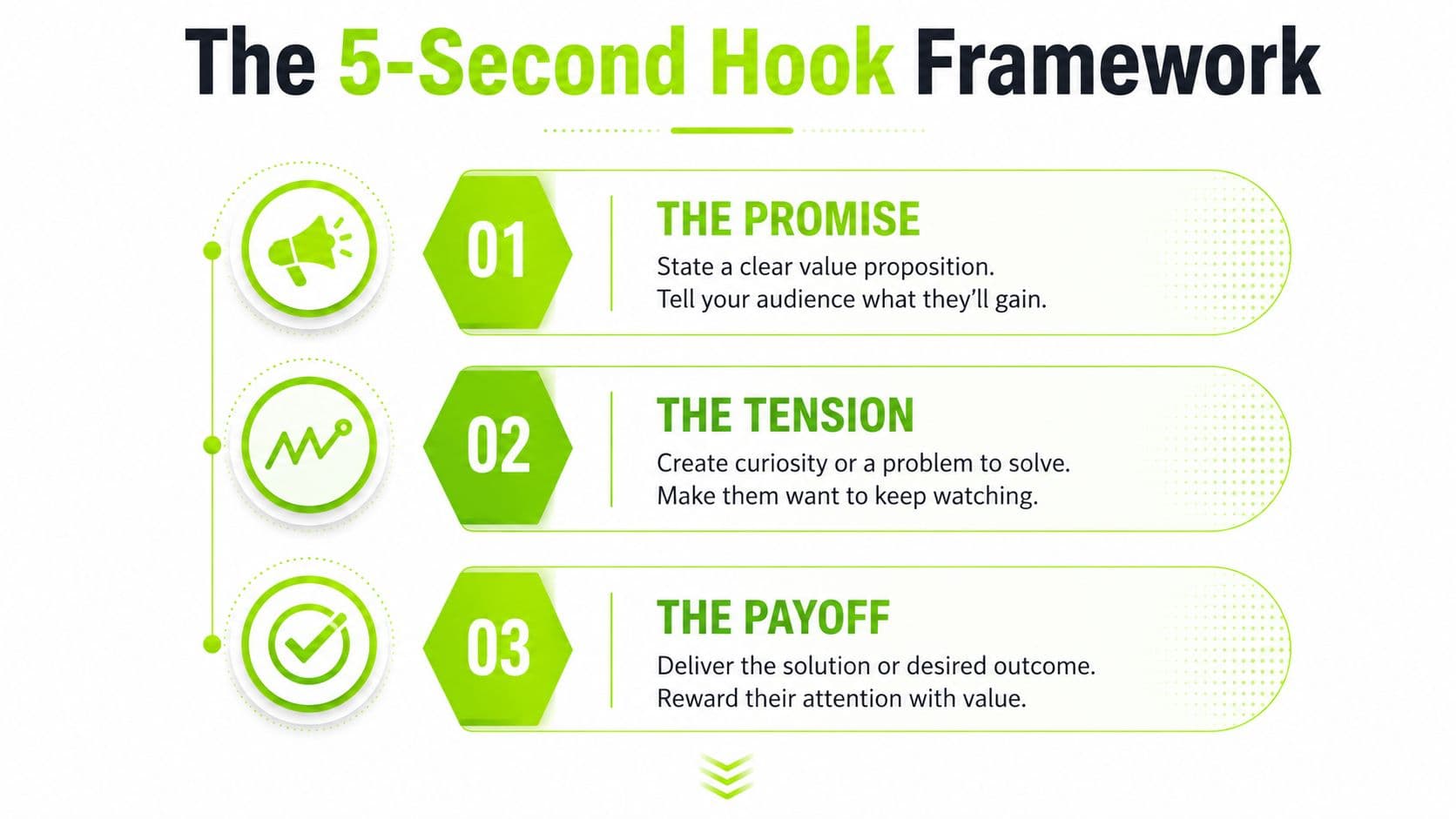
The first five seconds aren't where you prove everything, they're where you earn the right to continue. That means the hook needs three things in a row, a promise, a little tension, and a payoff preview. If any of those is missing, the viewer has no reason to keep allocating attention.
For long-form YouTube, the job is to tell the viewer exactly what they'll get without making the opening feel like a lecture. For Shorts, the job is harsher, the viewer needs an immediate reason not to swipe. That's why “today I'm going to talk about” kills retention, while “I found the one edit that was making people leave” creates a usable gap in the viewer's mind.
Build hooks from promise, tension, and payoff preview
A strong hook doesn't need dramatic performance. It needs clarity.
Start with the promise, which tells the viewer the video is worth their time. Then add tension, which makes the outcome feel unresolved. Finish with a tiny payoff preview, which shows that the resolution is close enough to matter.
Good hooks sound like this, “This is the exact moment people click away, and I'm going to show you why,” or “I tested three openings, and only one kept viewers past the intro.” They work because they point to a specific outcome, not a generic topic. The same idea applies whether you're talking to a long-form audience or a scrolling Shorts audience, but the delivery changes. If you want help drafting variations fast, the hook generator can speed up the idea stage without replacing judgment.
Don't start with context unless the audience already wants it
Context feels responsible. It also kills momentum.
If you open with your backstory, a setup paragraph, or a slow fade into the point, the viewer has to wait to understand why they should care. That wait is expensive on any platform, but it's brutal in short-form where every frame competes with the next swipe. Use context only after the viewer knows the value is real, not before.
Visual hooks matter too. A strong on-screen action, a strange object, a before-and-after frame, or a text overlay that frames the promise can do the job before the first full sentence lands. For many creators, the best opening is not the most creative one. It's the clearest one.
Pacing and Editing Techniques That Prevent Drop-Off
Once a viewer stays, the middle of the video becomes a trust exercise. They're asking whether the content keeps paying off, or whether the creator is stretching one idea into five minutes of filler. That's where pacing mistakes wreck retention.
The fix isn't cutting faster. Faster cuts can make a video feel nervous instead of alive. The goal is to keep the viewer oriented, surprised, and moving forward without feeling like they're trapped in noise. If you're editing Shorts specifically, this guide to YouTube Shorts editing is a practical reference point.
Use cut frequency as a tool, not a religion
A cut should happen because the viewer needs a new visual reason to stay, not because silence makes you uncomfortable. If every sentence gets chopped into fragments, the video stops breathing. If nothing changes for too long, the pace collapses.
Think in terms of movement. A good edit shifts the visual state when the idea shifts, when a new example lands, or when the energy dips. That can mean tighter cuts, but it can also mean staying on a shot long enough for a point to land. Silence can be useful when it creates emphasis. A slowdown can be useful when it resets attention before a reveal.
Keep this in mind: viewers don't reward motion for its own sake, they reward momentum.
Pattern interrupts and audio layering do different jobs
Pattern interrupts reset attention. Audio layering carries emotional continuity. They're not the same lever.
A quick b-roll insert, a zoom, a text card, or a sudden shift in framing can wake the viewer up, but if the audio bed stays flat and the cadence never changes, the edit still feels monotonous. Likewise, a nice music bed can make a video feel smoother, but it won't save a section where the information repeats itself. The strongest retention edits combine both, a visual change that matches a tonal shift.
Creators often miss pacing drag because the timeline looks busy. Busy isn't the same as dynamic. If the viewer already understands the point, extra examples become dead weight. If the viewer doesn't yet understand the point, moving on too quickly creates confusion. The job is to pace information at the speed of comprehension, then layer in enough change to prevent fatigue.
Clip Selection and Packaging That Matches Viewer Intent
A viewer who clicks a misleading title usually leaves before the edit has a chance to matter. The problem starts earlier than pacing or cut timing. The video arrived with the wrong contract, so packaging carries the first retention burden.
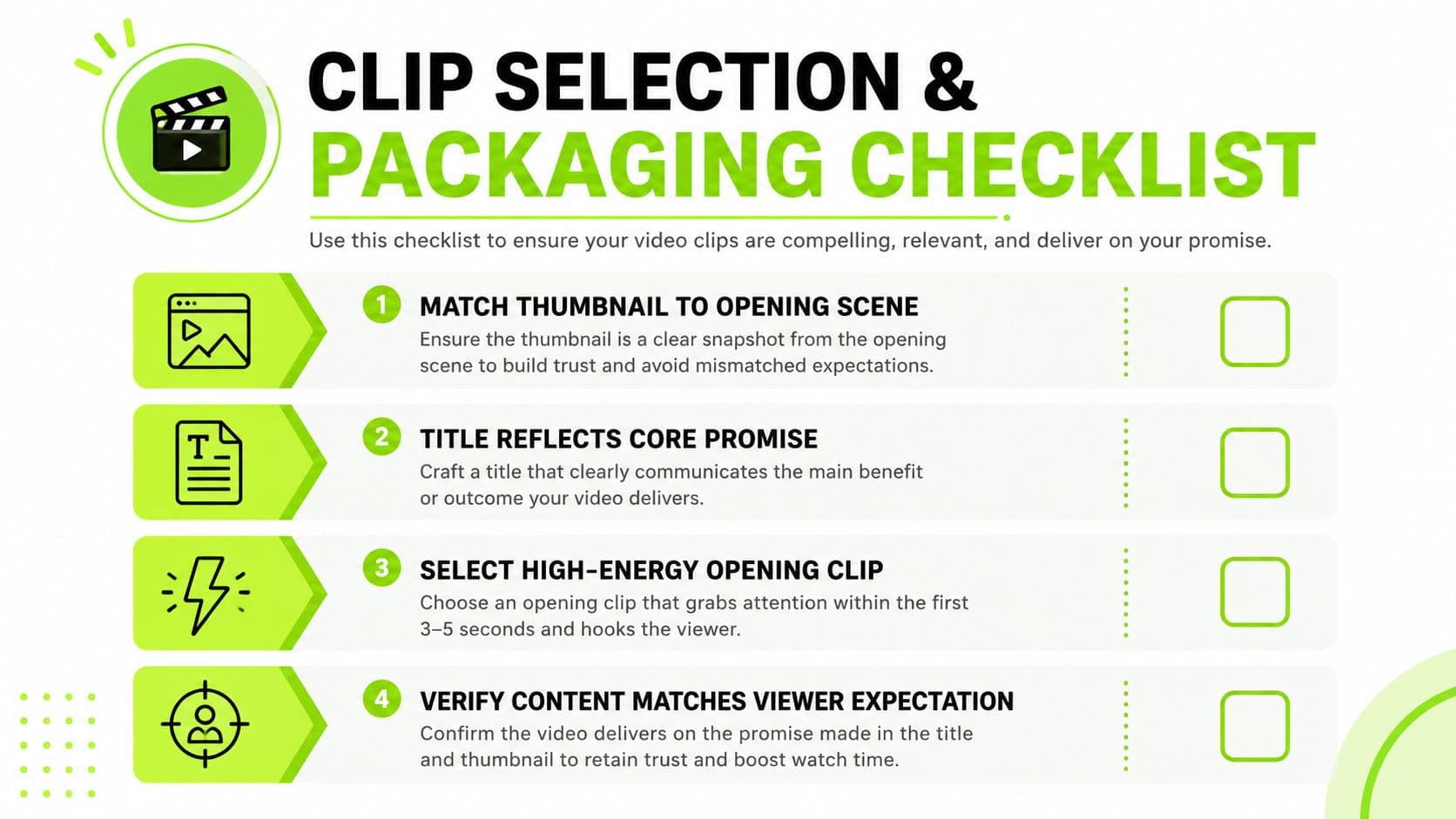
The most common failure is a thumbnail that promises one thing while the opening delivers another. The next mistake is choosing a clip that feels energetic on its own but does not represent the actual value of the video. That mismatch creates fast abandonment because the viewer notices the gap between expectation and reality. For a closer look at clip extraction choices, this clip selection guide is worth keeping open while you review your own footage.
Make the thumbnail, title, and opening scene agree
The viewer should feel continuity from click to first frame. If the thumbnail says one thing, the title softens it, and the opening starts with unrelated banter, the audience senses drift before the video has time to build trust.
Use the thumbnail to frame the question. Use the title to sharpen it. Use the opening scene to confirm the question is real. That alignment protects early retention because the viewer does not waste mental energy translating the promise. Good onboarding works the same way in any content format, the first interaction should make the next step obvious.
What are the common questions?
What is the short answer for How to Improve Retention for YouTube and Short-Form Creators?
Learn how to improve retention on YouTube and short-form video with a step-by-step playbook covering hooks, pacing, analytics, and creator-tested workflows.
What should creators do first?
Editing tools help remove drag and shape the first impression.
Who is this guide for?
This guide is for YouTube creators, faceless channel operators, agencies, and teams using AI tools to improve video production and growth.
Action checklist
Apply this to your channel today.
- 1Editing tools help remove drag and shape the first impression.
- 2Clipping tools help extract moments that match viewer intent.
- 3Thumbnail tools help reduce promise gaps before the click.
- 4Analytics tools help identify where the drop-off starts.
- 5Strategy tools help you decide whether the problem is creative or structural.
Sources & methodology
- Satura editorial guide based on the source video, topic cluster, and article sections.
- Source video reviewed for this article: https://www.outrank.so/