
What is the quick answer?
Find your best YouTube video editor for 2026. We compare top software for speed, features, and AI tools to boost your content creation workflow.
Key takeaways
- Why Your Video Editor Is Costing You Views
- Features don't fix weak videos
- Broken workflows create slow channels
- The Three Tiers of YouTube Video Editors Today
- Tier 1 basic editors
- Tier 2 advanced editors
Overview
You're probably in the same loop most creators hit sooner or later. You film something decent, dump it into an editor, trim the dead air, add captions, maybe slap on a few zooms, then publish and hope. A day later, the click-through is weak, retention falls off early, and now you're back in another app trying to figure out what went wrong.
That's why most “best YouTube video editor” advice misses the point. The question isn't which tool has the longest feature list. The key question is which editor helps you move from idea to edit to publish to feedback fast enough to improve the next video before your momentum dies.
If your editor slows the loop, it costs you views. If it helps you test hooks, tighten pacing, repurpose footage, and learn from performance, it earns its keep.
Why Your Video Editor Is Costing You Views
Most creators don't have an editing problem. They have a workflow problem.
You're bouncing between a transcription tool, a caption tool, an editor, a thumbnail app, a notes doc, and YouTube analytics. That stack feels productive because you're busy. It isn't. It creates drag, and drag kills iteration.

Features don't fix weak videos
A lot of reviews still judge editing software like it's 2018. They compare transitions, color panels, plugin support, and export options. Meanwhile, creators care about growth.
That disconnect is obvious in the data. A major gap in best editor coverage is that it rarely ties tool choice to retention. 78% of new creators say growing their channel is their primary goal, and clips edited for sub-3-second hooks and high-contrast pacing convert 2.4x better. Yet most editor roundups still don't evaluate whether a tool helps you build those outcomes.
Practical rule: If your editor makes it harder to test hooks, tighten pacing, and publish faster, it's not helping your channel, no matter how “professional” it looks.
That's why the best YouTube video editor isn't automatically the one with the deepest feature set. It's the one that shortens your feedback loop.
Broken workflows create slow channels
Here's what usually happens. A creator records long-form content, uses one app to transcribe it, another to generate captions, another to cut clips, and then checks performance somewhere else. By the time they learn what worked, the next upload is already late.
Captions are part of this mess. If you're still handling them manually, you're burning time for no reason. A solid guide for accurate video transcription helps clean up that step, especially if your content depends on spoken clarity. If you also want to understand how caption workflows affect editing speed, this breakdown of auto-generated captions is worth a look.
The blunt truth is simple:
That's the frame you should use for every editor from here on out.
- More apps means more friction. Every handoff slows decisions.
- More features means more clutter. Most creators use a fraction of what they pay for.
- Slow iteration means slower growth. You don't improve from editing longer. You improve from publishing, measuring, and adjusting faster.
The Three Tiers of YouTube Video Editors Today
The market is split into three clear buckets. If you don't separate them, every comparison turns into nonsense because you're judging completely different tools by the same standard.
Before names, think in tiers.
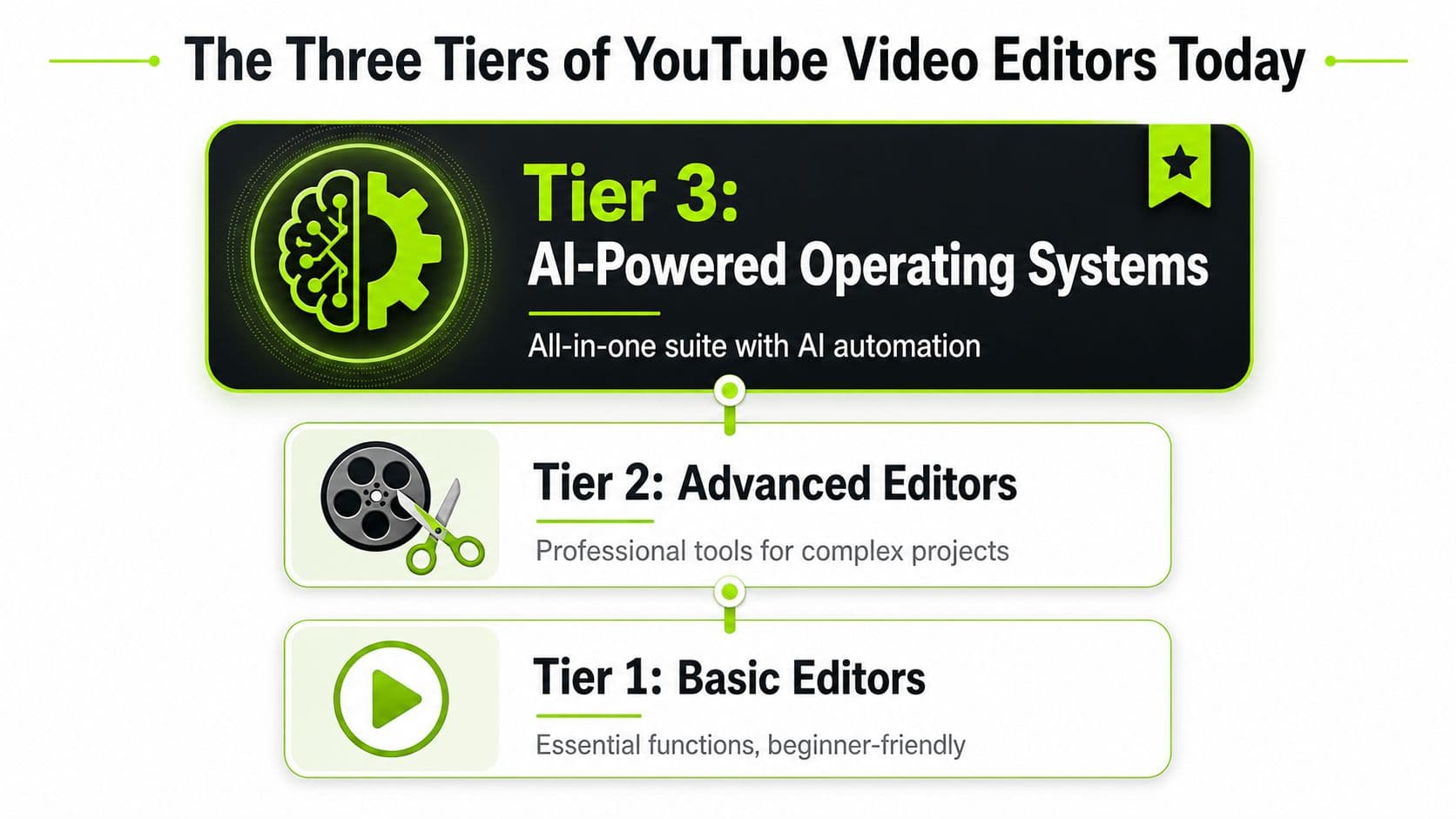
| Editor Tier | Primary Use Case | Example | Best For |
|---|---|---|---|
| Basic Editors | Quick cuts, simple captions, easy uploads | iMovie, CapCut | Beginners and casual creators |
| Advanced Editors | Full timeline editing, audio cleanup, serious post-production | Adobe Premiere Pro, DaVinci Resolve | Professional channels and ambitious solo creators |
| AI-Powered Operating Systems | Editing plus clipping, idea workflow, and growth analysis | Browser-based all-in-one platforms | Faceless channels, repurposers, and creators optimizing speed |
Tier 1 basic editors
These are the on-ramps. They're easy to learn, fast to open, and good enough for simple uploads.
They work well when your main job is getting started, not building a repeatable production machine. That's why short-form creators often begin here. The editing isn't the bottleneck yet. Confidence is.
Tier 2 advanced editors
Serious production relies on these tools. Adobe Premiere Pro, Final Cut Pro X, and DaVinci Resolve dominate the pro creator space. Adobe Premiere Pro holds 35% market share, Final Cut Pro X 25%, and DaVinci Resolve 15%, for a combined 75% share among professional YouTubers.
That stat matters, but not in the lazy way people use it. It doesn't mean one of those is automatically right for you. It means pros tend to graduate into more capable tools as their workflows get heavier, their footage gets more complex, and their standards rise. If you want a deeper look at that broader picture, this guide on video editing software YouTubers use gives useful context.
Most creators don't choose the wrong editor because it's bad. They choose the wrong tier for the stage they're in.
Tier 3 AI-powered operating systems
This is the category older reviews barely understand. These tools aren't just editors. They try to compress the whole creator workflow into one place.
That matters because editing no longer sits alone. The full scope of work now includes clipping, repurposing, scripting support, trend analysis, and post-publish feedback. A tool that only cuts video may still be strong, but it's no longer solving the whole job.
Use this filter:
That's how you narrow the field without getting distracted by shiny features.
- Choose Tier 1 if you need speed and simplicity.
- Choose Tier 2 if you need control and production depth.
- Choose Tier 3 if you care most about output velocity and faster learning cycles.
The Traditional Powerhouses Adobe Premiere Pro and DaVinci Resolve
If you're building a serious channel, these are the two names that keep showing up for a reason. They're powerful. They're flexible. They can handle real work.
They also ask more from you than most creators realize.
Adobe Premiere Pro is for teams
Premiere Pro still makes the most sense when multiple people touch the same production pipeline. Editors, designers, thumbnail creators, and motion people often already live in Adobe tools, so Premiere becomes the center of that setup.
It's not the cleanest tool for beginners, and it's not the cheapest path if you're a solo operator trying to keep overhead tight. But for collaboration-heavy channels, agencies, or media teams, it's still the practical standard. It's also worth reviewing a solid Premiere Pro tutorial for YouTube creators if you're considering that route and want to gauge the learning curve before committing.
DaVinci Resolve is for creators who want ownership
Resolve is the smarter pick for a lot of solo creators. It has a real professional ceiling, and it doesn't force you into a subscription if the free version already covers what you need.
The hardware side is where people get caught. For professional 4K editing, the benchmark is a minimum 8-core processor, 32GB RAM, and a GPU with 6–8GB VRAM. DaVinci Resolve's free version supports that workflow and includes over 100 effects, while Resolve Studio costs $295 and adds the DaVinci Neural Engine for advanced AI tasks in this professional YouTube editing guide.
If your computer is weak, Resolve can feel brutal. That's not the software failing. That's your machine tapping out.
What each one gets right
Here's the clean breakdown:
Hard truth: A professional editor doesn't make amateur pacing disappear. It just gives you more ways to fix or expose it.
For YouTube, the danger is overbuying complexity. If you're making talking-head videos, reaction content, tutorials, or repurposed clips, you may not need a heavyweight desktop NLE yet. If you're producing cinematic storytelling, dense sound design, layered b-roll, or advanced color work, then yes, you probably do.
That's the key dividing line. Not status. Not branding. Workload.
- Premiere Pro fits editors working inside a broader Adobe workflow.
- Resolve fits solo creators who want pro-level editing, color, and audio without recurring software cost.
- Both demand time, patience, and competent hardware.
What are the common questions?
What is the short answer for Find Your Best YouTube Video Editor: Top Picks 2026?
Find your best YouTube video editor for 2026. We compare top software for speed, features, and AI tools to boost your content creation workflow.
What should creators do first?
Fit to content type: Shorts, long-form, faceless, cinematic, or repurposed
Who is this guide for?
This guide is for YouTube creators, faceless channel operators, agencies, and teams using AI tools to improve video production and growth.
Action checklist
Apply this to your channel today.
- 1Fit to content type: Shorts, long-form, faceless, cinematic, or repurposed
- 2Workflow speed: How fast you can go from idea to upload
- 3Learning curve: Whether you'll stick with it
- 4System requirements: Whether your hardware can handle it
- 5Feedback loop: Whether it helps you improve future videos